Woocommerce Abandoned Cart – Pro
from $99.00
Plugin Details
Plugin Version: 1.1
Release Date: April 24 2013
Start recovering over 30% of your lost sales now!
This easy-to-use plugin gives store owners the ability to recover sales that are lost to abandoned shopping carts by logged-in customers. Abandoned Cart works in the background, sending email notifications to your customers, reminding them about their abandoned orders. The plugin offers incentives to return and complete their checkout with discounts and coupons.
| Frontend demo: Add an item to cart and check the Admin after 2 minutes to see your abandoned order. Email sending will not work in demo. | ![]() |
![]() |
Video
Screenshots
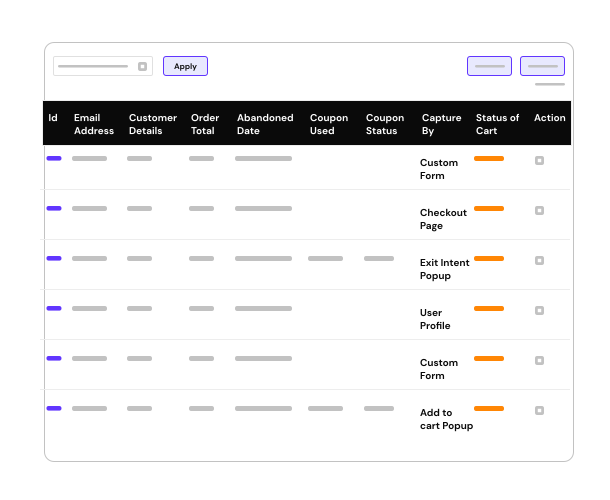
- Listing of Abandoned Orders
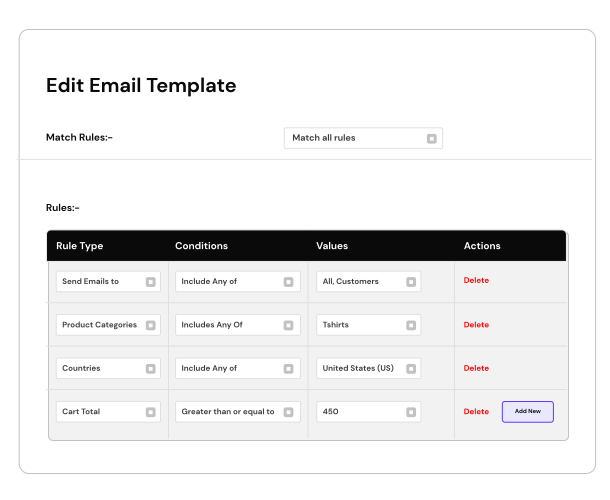
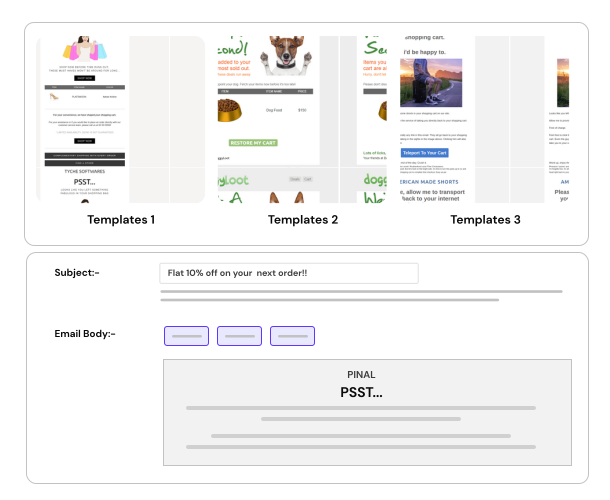
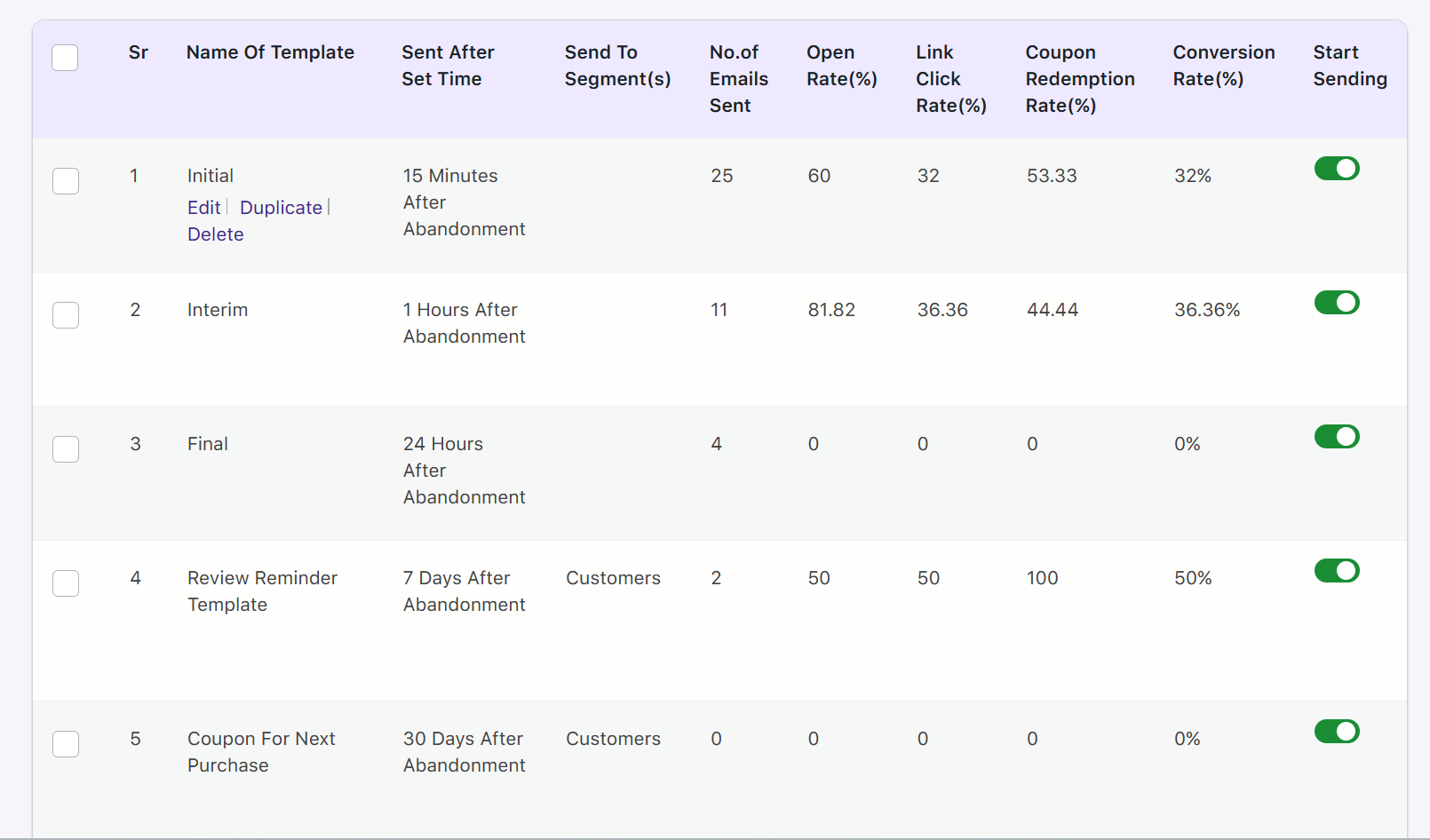
- Manage Email Templates
- Abandon Cart Settings
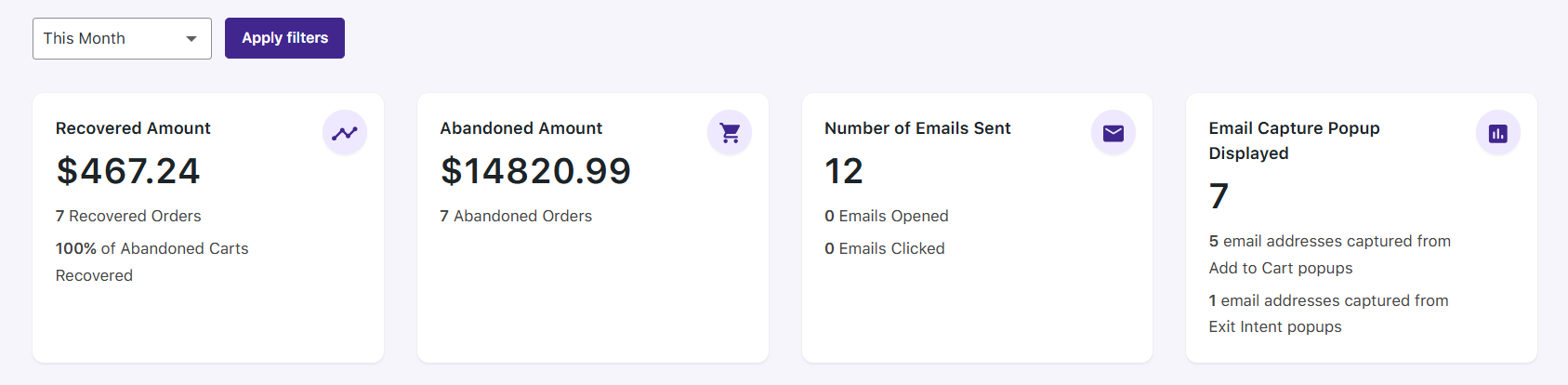
- Orders Recovered
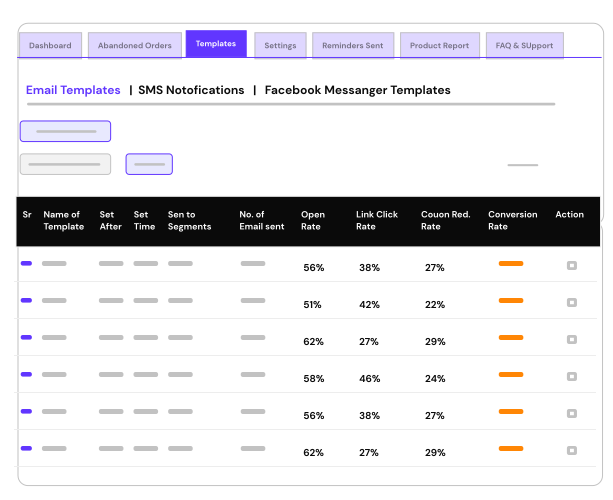
- Email Sent Stats
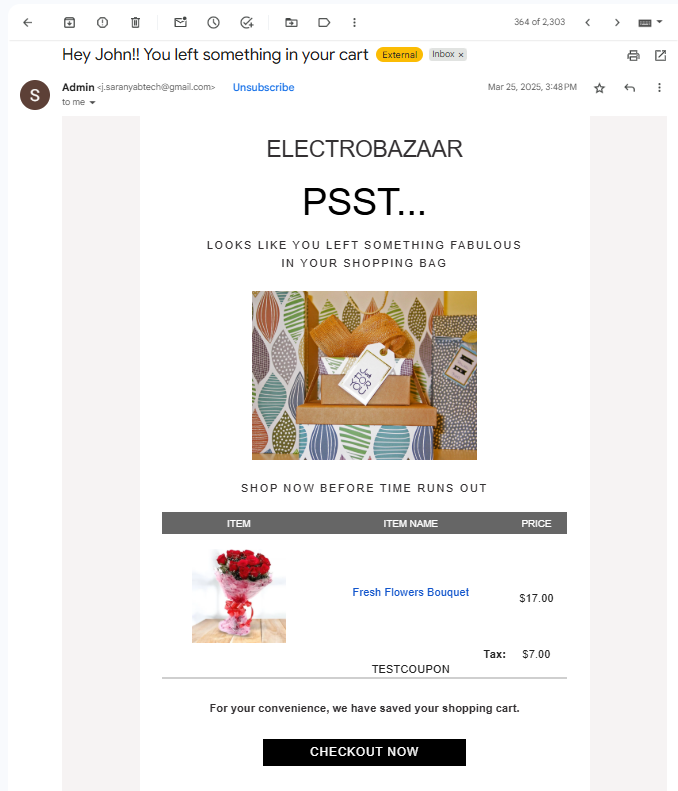
- Email sent from Abandon Cart
- Admin email notification on Order Recovery
Details
On average, nearly 70% of all online shopping carts are abandoned (according to comScore). That's huge money being lost. Recovering and closing the sales on abandoned orders is critical to increasing your bottom line. (Infographic)
The Abandoned Cart plugin allows you to recover orders that were just a step away from closing. It enables you to create automatic & well-timed email reminders to be sent to your customers who have added your products to their cart, but did not complete the order. As a result, with this plugin you will start recovering at least 30% or more of your lost sales. Why let this 30% revenue go unclaimed?
Abandoned Cart plugin merely hands back revenue to you, that is rightfully yours.
The Abandoned Cart plugin allows you to personalize every email that is sent out by using custom variables like Customer Name, Cart Information, Cart abandoned date, Coupon codes, Checkout page link, Cart page link & many more.
The Abandoned Cart plugin also enables the admin to keep a track of the emails sent to the customers and giving the Admin different statistics about the emails sent like number of emails opened, number of links clicked from email etc.
Abandoned Cart plugin enables Customers to:
- Recover their abandoned carts in a single click
- Automatically logs in registered customers
Abandoned Cart plugin enables Admin to:
- Identify the Abandoned Orders information, including the products that were abandoned
- Create unlimited email templates to be sent at intervals that you set
- Add custom variables like Customer Name, Product Information, Coupons, etc. in the email template
- Embed Woocommerce coupons in the emails being sent to customers
- Copy HTML from anywhere & create templates using the powerful Rich Text Editor
- Track whether expired coupons are causing cart abandonment
- You are notified by email when an order is recovered
- Track abandoned orders value v/s recovered orders value
- Track emails sent, emails opened, links clicked for each template/email
- Automatically stops email notifications when a customer makes a purchase or uses the cart recovery link
Benefits
- Put your cart follow-up process on automation & recover lost orders
- YOU MAKE MORE SALES!
Why would a customer abandon their shopping cart?
- Price higher than expected after shipping/taxes
- Shopper decides to wait and look for a better deal
- Lack of trust / confidence
- Confusion during the checkout process
- Credit card denied at checkout
- Urgent matter causes shopper to leave
Compatibility
- Woocommerce 2.0, 1.6, 1.5 ready
Installation
Simply activate the plugin & enter the settings as per your specifications and requirements. Once this is done, the plugin will start storing abandoned carts & sending email notifications to your customers about it.
Email Sending Setup
Abandoned Cart Plugin relies on a function called WP-Cron, and this function only runs when there is a page requested. So, if there are no visits to your website, then the scheduled jobs are not run.
In a perfect world, scheduling perfectly timed events to run at specified intervals is what should occur, but WP-Cron is not the same as the Unix cron scheduler. The key distinction lies in how it is run; unlike a background process, WP-Cron kicks in every time a visitor opens your WordPress-powered site. As such, it will remain imprecise in terms of timing the sending of your abandoned email notifications.
For the Abandoned Cart Plugin, this can cause a “problem” for you. If you have a schedule of emails to be sent, and no visits are made to your website, the queue will not be processed, and no abandoned cart notification emails will be sent. But, there are solutions.
Advanced:
This is the best set of instructions for fixing this, and making it more "perfectly timed."
Create Cron Jobs
Less Advanced:
Alternatively, you could try: WP-Cron Control
You need to schedule the following script present in the plugin folder so emails are sent out: "woocommerce-abandon-cart-pro/cron/send_email.php"
FAQ
- Can the plugin track carts abandoned by guest users?
Currently there is no provision for tracking guest carts. This is planned in a future release. - Why are abandoned cart notification emails not getting sent?
Please ensure you have followed the instructions in "Email Sending Setup" right above this FAQ. Additionally, please verify that you have selected "Enable abandoned cart notifications" option in Settings. With this option turned off, the abandoned carts are recorded, but emails are not sent.
Upcoming features
- Compatibility with Woocommerce 2.0 - DONE
Support
You can request support from the Contact page.


Hi, I am testing the Abandoned Carts Lite Plugin to see if its worth buying the pro version, but its not working.
Here is what I have tried:
I logged in as a regular customer added products to the cart and clicked checkout. Now it shows the check out page. I waited on the checkout page for 2 minutes then closed the window. After another 2 minutes I logged into the backend as admin but nothing shows.
Second test. I added the products to the cart and waited two minutes. Closed the window an waited two minutes + and logged in as admin to backend but nothing shows up.
Ideally what I am looking for is user adds something to the cart clicks checkout and then decides not to go through and closes their browser window. This should show up in abandoned cart. Let me know what the issue may be, I downloaded the plugin from wordpress extensions site.
Thank you. It is odd that you are unable to see the abandoned cart in the admin. You have set the abandoned cart cut-off time to 2 minutes?
In your second test, were you logged-in or you added the products without logging-in?
The abandoned cart plugin does exactly that. After adding to the cart, if the customer chooses to abandon the order, then it would show up in the abandoned orders section & will send emails according to the templates. Do you have a link where I can see this happening?
I have replied to your email as well.
I have tested the Lite Plugin one more time & there is no such issue as you have pointed out. It does record all abandoned carts as per the cut-off time which is set.
To verify if the PRO version works or not, you can use the links mentioned above for the demo. You can go to Front end demo, add an item & then go in the Admin demo & verify whether that cart appears or not.
I can check the Lite plugin on your installation if it’s online. Please give me the access to it so I can fix any issues that you might be facing.
Hello,
I’m not good at technical issues, so my question is. Using your plugin is it possible to send reminder emails on other languages?
Thanks.
Yes, the plugin can send reminder emails in any languages. While creating the email template, you can enter the email subject, email body, from name, etc. which allows you to put them in a language of your choice.
Please notify me when the plugin works with new 2.0 WooCommerce-thanks
The Abandoned cart plugin will be made compatible with Woocommerce 2.0 release by the coming week. I shall notify you once updated.
Any update on the Woocommerce 2.0 update?
We are testing the plugin right now as I write this comment. There has been good progress & I do hope to release it before end of this month.
Hi -
I’m designing the emails for the Lite version – but links to small images on my site are being replaced by shortened addresses beginning with “../” This causes the email that is received to have broken image links-
How do i stop the email design area from making this substitution??
-grace
Hi, the editor itself would not be making any substitutions in the image paths. Does it happen only with selected (small) images or all images?
Any image on my domain that i attempt in the editor gets substituted the moment i click Update.
If i link to an image on another domain its fine.
-grace
I’m also seeing multiple abandoned carts but have not received any emails (my abandoned carts were in the mix) The send is enabled – and i have not yet tried the cron fix.
-grace
I see. I might need to look into the first issue.
As for the emails not coming, you will need to set the cron so the emails can be sent out. Unless that is done, no emails will be sent from the system.
If you can drop me an email with details about your server where you are facing the image issue, I can check that. Please email me on: ashok@tychesoftwares.com
Will email you directly about the image issue-
I understand the Pro has many added features… but even with the wp-cron replaced as instructed- your AC lite has not sent even one email for me yet- as much as i’ve tried : / and there is no “enable” option in Lite.
-grace
Thank you for your patience. The WP-Cron control is another plugin by another developer. I will verify whether this plugin does work now or not. I can help you set the cron job on your server using the Advanced method.
You are right, there is no “enable” option in Lite as it is by default supposed to send emails once the cron is set.
I have received your email & responding to that now.
Thank you so much for your fast help Ashok
Your solution for the image paths has that issue resolved smoothly – and now thanks to your guidance the cron-jobs are set and working like a charm.
Truly appreciate that you would help even on the Lite free version.
I’m looking forward to purchasing!
-grace
Thank you for the appreciation Grace. I am glad I was able to help you out with all your issues. Look forward to you purchasing the Pro version.