Order Delivery Date for Woocommerce – Pro

1 Star2 Stars3 Stars4 Stars5 Stars
Loading ... Loading ...


Loading Updating cart...


from $29.00


Tyche Softwares » Store » Woocommerce » Order Delivery Date for Woocommerce - Pro
Plugin Details

Plugin Version: 2.3
Last Updated Date: April 4 2013

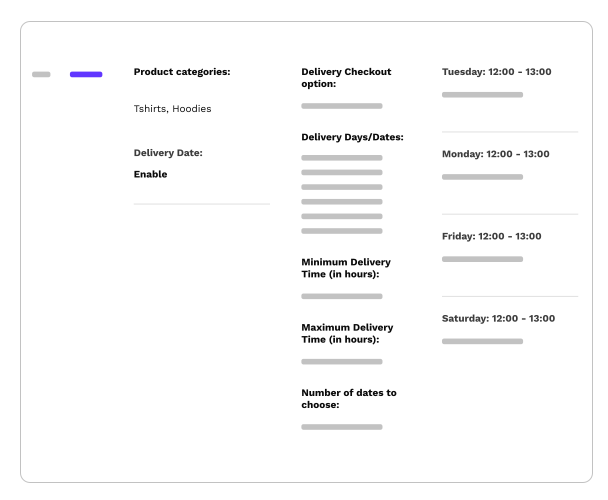
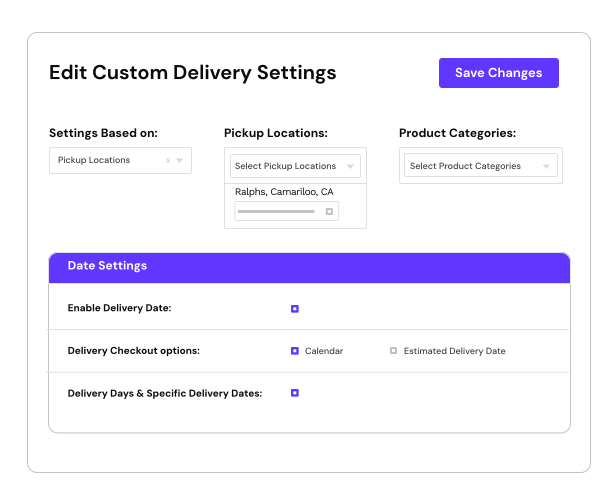
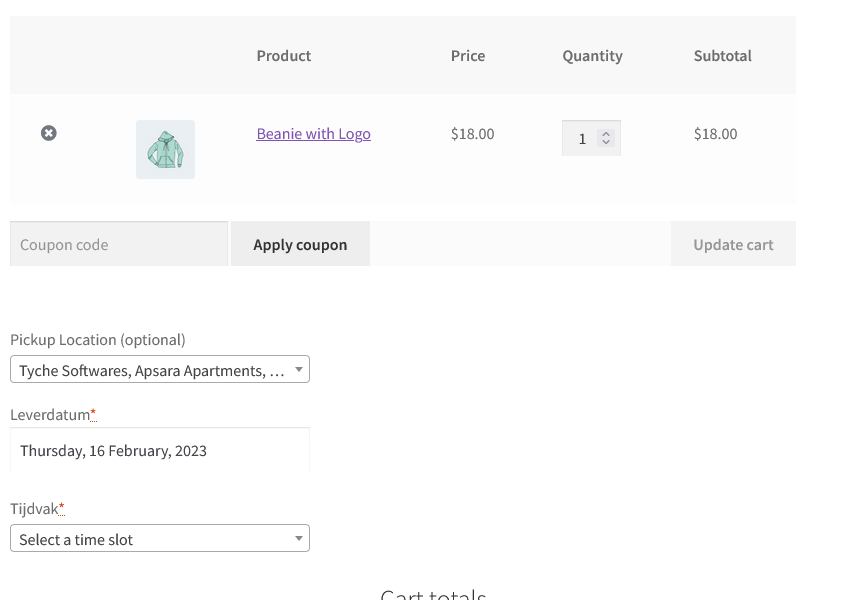
This plugin will allow the customer to choose a delivery date & time on the checkout page. Order delivery settings allow the site owner to decide which dates should be made available for delivery. The delivery date & time will be visible to the site administrator while viewing the order.

  Checkout Page Demo Order Delivery Settings Demo
Video
Screenshots


Details

The customer can choose any delivery date that is after the current date. The delivery date chosen by the customer will be visible to the site administrator while viewing the order under the "Additional Checkout Fields" section.

NEW: With the version 2.3, the delivery date calendar can be displayed in 62 DIFFERENT LANGUAGES on the checkout page. In addition to that, v 2.3 contains 5 new date formats.
In addition to the above, the plugin now includes the automatic updater. So all future updates from the v 2.3 onwards can be automatically pulled from the 'Plugins' page as & when they are available.

You can now schedule delivery dates for gifts, allowing them to be delivered at a certain date in the future. This should make holiday and birthday shopping super easy for your customers.

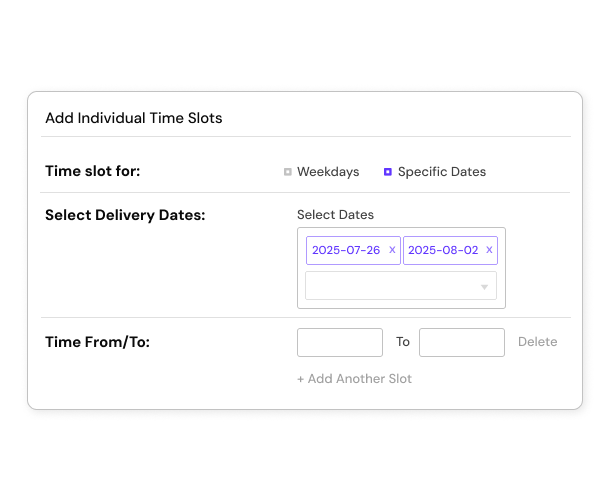
This plugin can also be used to enable only selected delivery dates instead of weekdays. Many businesses deliver on selected delivery dates only & not on recurring weekdays. The "Delivery Dates" section enables them to add the dates which they deliver on. Enabling the "Delivery Dates" option automatically disables the weekdays.

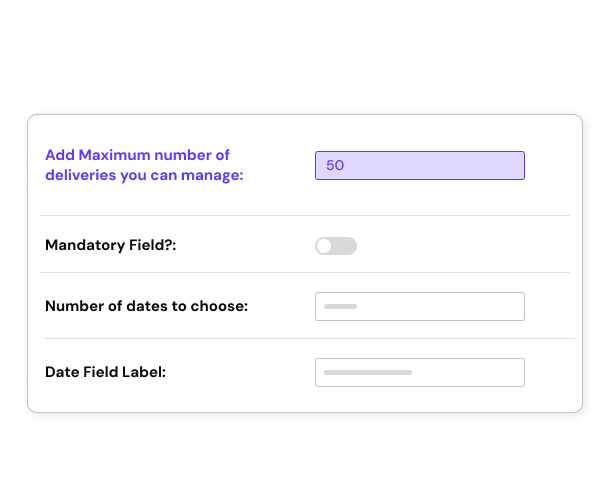
This plugin can also be used as a Booking Calendar on the checkout page. A new setting in the latest version allows you to set maximum bookings or appointments that you want to conduct in 1 day. The customizable field label & note will infact enable you to use this plugin to capture any future dates, for example, booking date, pickup date, delivery date, etc.

This plugin enables Customers to:

  • Select convenient delivery date
  • Select appropriate delivery time
  • Book appointments - Version 2.1

This plugin enables Admin to:

  • Allow the customer to select Delivery Time along with Delivery Date
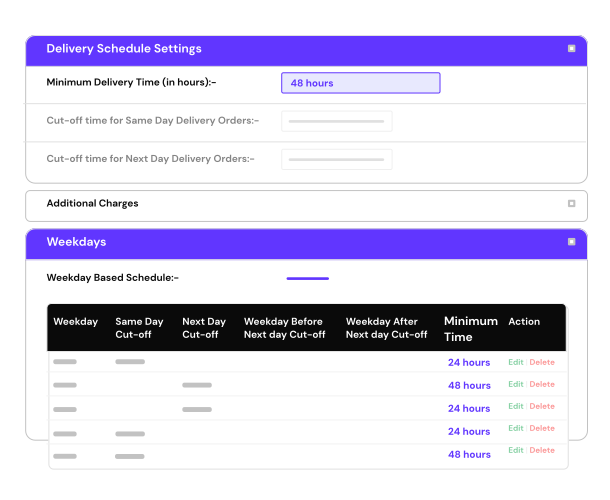
  • Same-day & Next-day delivery with cut-off time
  • Specify the time range available for delivery
  • Set minimal interval between the order and delivery date
  • Add holidays or black-out dates to the calendar
  • Option to show Delivery Date in Customer Notification Email
  • See delivery date & time entered by Customer in the order
  • Choose from 24 different themes for the calendar
  • Choose the convenient date format
  • Customize field label, field note text
  • Capture only delivery date or only delivery time or both
  • Show 2 months in calendar
  • Set maximum deliveries / appointments / bookings for a day - Version 2.1
  • Set Specific Delivery Dates for delivery instead of Weekdays - VERSION 2.2
  • Send Delivery Date in Admin Notification emails - VERSION 2.2
  • Show Calendar in one of 62 languages - VERSION 2.3
Benefits
  • Deliver your orders on-time
  • Use this plugin as a Booking calendar
Compatibility
  • Woocommerce 2.0, 1.6, 1.5 ready
Installation

You just need to activate this plugin & the delivery date field will appear on the checkout form. Deactivating the plugin will hide the field from the checkout form as well as from the admin order page.

FAQ
  1. Can the customer enter the preferred order delivery time?
    Currently there is no provision for entering the delivery time. This is planned in future release.
  2. Is the order delivery date field mandatory on checkout page?
    No. The field is optional.
Updates

Version 2.2

  • Feature: Added Specific Delivery Dates feature
  • Feature: Delivery date in Admin notification email & on Order Received page.
  • Bug: Delivery date not appearing in Customer notification email. This has been fixed in 2.2

Version 2.1

To get the latest version of your plugin, drop an email to updates@tychesoftwares.com with your name, email address & plugin name. The updated version of the plugin will be emailed to you upon verification. The plugin update process will be automated very soon.

Upcoming features
  • Ability to choose delivery / appointment timeslot from the checkout page
  • Separate delivery / appointment time range for all 7 days
Support

You can request support from the Contact page.

from $29.00

Loading Updating cart...

145 Responses

  1. Kimba says:

    Hi,

    Help Please its not working.
    I just purchased and installed Order Delivery Date Pro for WP e-Commerce, Woocommerce.

    While the delivery date field shows in the checkout it is not functional – clicking field has no affect.

    Please explain how I can fix this.

    Kimba

  2. Kimba says:

    Woocommerce 1.6.5.2
    Theme: “Bellissima” – themes.unifato.net/?theme=bellissima

  3. Kimba says:

    Please see my email reply.

    • Ashok Rane says:

      I have sent you an updated version which displays the calendar correctly with your theme. The Bellissima theme is using an old version of Jquery UI library. The Datepicker used in the plugin does not work with that version. Let me know the results.

  4. Kimba says:

    Thank you very much Ashok all is working wonderfully. Your customer service was fantastic. Your response time impressive. Kimba

  5. Justin says:

    Thanks for all the support Ashok, love the plugin and thoroughly recommend it to anyone using Woocommerce.

    Great that you took on board my feature request also!

    Thanks again :)

  6. Al Romano says:

    How difficult would it be to add a “Pickup Date” option as well for a service that delivers something rented?

    • Ashok Rane says:

      It should not be difficult to add the field.

      Currently the plugin adds only 1 date field on the checkout page. For rental services, I assume you would want 2 date fields, Pickup Date & Drop-off date.
      This will need to be added as per your requirements.
      You can email me at ashok at tychesoftwares dot com

  7. Kimba says:

    Hi Ashok,

    I have sent you an email with a print screen image of my question. Please let me know if for some reason you did not receive it.

    Kimba

  8. Tom says:

    Great plugin, great support. Ashok helped modify the plugin to work with my current theme. I highly recommend purchasing this plugin!

  9. Chris says:

    Hi,
    It looks like this plug in would suit my needs – I’m making a food takeaway website and the client wants to be able to let the user choose a date and time for delivery. Just one question though – he only has a few delivery drivers and wants to limit the amount of people ordering at any one time. For example if five people wanted food for 7:30 then the sixth person could not select this time. Would this be possible with the plug in? I see you have the lockout for the day but could that be time specific?
    Many thanks.

    • Ashok Rane says:

      That could be implemented by adding timeslots for deliveries wherein the number of deliveries are limited by a timeslot rather than a specific time. Having it the way you have suggested is difficult as that would mean blocking every minute after a certain number of orders have been booked, which is not feasible.

  10. maurito says:

    hi

    interesting plugin.

    Why the date is not showed in the email sent to the admin? Only the customer get the email with the date and time.

    Not even the Order received page shows this info

    How can I add the date to that page and to the email?

    • Ashok Rane says:

      Yes, the date is purposely not shown in the Admin emails. It can be shown on the order received page as well as in the emails to the Admin with some change in the code. Everyone might not want the delivery date to be emailed to the Admin, or to be showed on the order received page. Thus separate settings need to be added so that can be configured from the Admin Settings.

  11. maurito says:

    thank you for your kind answer.
    Can you provide a snippet to add the date/time in the Admin email and in the Order received page?

  12. I bought his plugin but when i set up the cut off date for same day delivery it doesnt work after 8 0clokc at night. lets say i set it up for 12 am cut off time, by 12:01 pm i cant order same day but by 8:01 pm it makes same day available again and it takes away next day delivery even though i vahe next day delivery set to all time available ( 23:59 ).

    Please Help…

    • Ashok Rane says:

      The cut-off time works with respect to the timezone as found in the General Settings of the WordPress Admin. The same-day delivery would not be enabled after the cut-off time unless there is a change in the timezone settings done & those are then not adjusted in the same-day cut-off time.
      If you want to make next-day delivery available all day, then there is no need to set it explicitly if you’ve set the same-day delivery.

      I’ve also replied to your email.

      • Please check before 8:00, see that it works, i have it set to -4 UTC in general settings and the i have cutoff time at 12, but then at 8pm it goes berserk and makes same day available again and takes away next day availability, i really like this plugin please help…

        • Ashok Rane says:

          I saw it. Currently today’s date is disabled. I will check it once after 8 PM & before 12 noon.

          • I already fixed it the problem is taht it is working in combnation with wordpress wp-settings default stamp wich is set to UTC, so at 8 it thinks its a new day and it resets since at 8 ny time is actually 00:00 utc time. i played around with it and i think i can fix it placing default time as America/New York in wp-settings, i will let you know after 8:00, thank you for being attentive to my issue i really do appreciate the fast comunications, really happy i bought this plugin. :)

          • admin says:

            Glad that it’s fixed. I did have the impression that it would have something to do with the timezone settings rather than the plugin. I did check the calendar before reading this comment. It worked fine.

            Please check the attached screenshot. It shows 2nd Nov as disabled. The time is 23:06 right now.

            http://screencast.com/t/c581BCvrWwx

            Thank you for your comments. Let me know if there are any more issues.

  13. olavludvig says:

    Solved the admin notification email.

    Open admin-new-order.php from woocommerce templates.

    At my line 47 it says

    Alter that one to

    And done.

    :-)

  14. Remko says:

    Just bought it and already love it! Where can I translate the days and months to dutch?

    Another great feature would be if the customer could choose between pickup or delivery and if a shop owner can set specific limitations. For example, for pickup I don’t mind if they come the next day, but for delivery I need two days.

    Thanks in advance!

  15. Awesome work guys… we had developed something very similar about 8 months ago, but it was purely for delivery dates with a simple date picker. Cost about $500 to develop. Now I see this one, and it is bloody awesome compared to what we got done. well done guys, it is now part of our business model.

    • Ashok Rane says:

      Thanks Ciaran. I am glad you liked it. I like the $500 value part much more :) So what would otherwise cost $500 is available only for $29. Wow.. Thank you for the appreciation!

  16. Bart says:

    I’ve got the same question as remco: i’d like to translate it in Dutch.
    -Where can i find it?

    Also: the picked orderdate isn’t showing up in the mail (to customer & admin). How can i fix it?

    thanks in advance.

    Bart

    • Ashok Rane says:

      Regarding the dutch translations, I will need to check that & then get back to you on how to add it.

      For the delivery date not showing up in the emails, that’s a bug. I am releasing an update tomorrow or day after tomorrow that will be fixing that issue.

    • Ashok Rane says:

      For the dutch translations, you can open the order_delivery_date.php file, and on line 165, add the below 2 lines:

      $options[] = “dayNamesMin: ['zo', 'ma', 'di', 'wo', 'do', 'vr', 'za']“;
      $options[] = “monthNames: ['januari', 'februari', 'maart', 'april', 'mei', 'juni', 'juli', 'augustus', 'september', 'oktober', 'november', 'december']“;

  17. lenghanwei says:

    I want to translate the calendar for the Chinese, and how can i to achieve that? please help me,thx a lot!

    • Ashok Rane says:

      For the chinese translations, you can open the order_delivery_date.php file, and on line 165, add the below 2 lines:

      $options[] = “dayNamesMin: ['zo', 'ma', 'di', 'wo', 'do', 'vr', 'za']“;
      $options[] = “monthNames: ['januari', 'februari', 'maart', 'april', 'mei', 'juni', 'juli', 'augustus', 'september', 'oktober', 'november', 'december']“;

      The first line should contain the dayNames in chinese & second line will contain the monthNames. The dayNames start from Sunday.

  18. dididica says:

    Can I add this feature to the product page, or just checkout? I sell private city tours, and I need my clients send me informations of what day and time they would like to do the tours.

    • Ashok Rane says:

      Currently the date & time field is only be added to the checkout page. It will need to be customized to have the fields on individual product pages.

      • Jess says:

        Is this something that is planned for the future? Or is there a way to at least display available days on the product page before they proceed to checkout, maybe without the field?

        I’d also like to know how difficult it would be to link the quantity field to this, so that if a customer chooses a quantity of 3, then 3 delivery dates could be chosen.

        • Ashok Rane says:

          This is planned for the future as part of a booking plugin wherein customers can choose date & time when they want to do a tour. I am working on it currently.

          Linking the quantity field would not be difficult, but would be tricky.

          You can email me on: ashok@tychesoftwares.com for details about the product page datepicker requirements.

  19. Paul says:

    Hi!

    What if I require the following functionality, does your plug-in (perhaps with some minor customization) support it?:

    1: For every day except Friday and Saturday, the delivery may be the next day, if the order was placed before 12:00
    2: For Friday the product may be delivered on SUNDAY if ordered before 12:00
    3: For Saturday the product may be delivered on MONDAY if ordered before 12:00

    Thanks!

    • Ashok Rane says:

      The plugin already supports same-day & next-day deliveries with cut-off time. Special case for certain days will need to be added. I have sent an email to you about it.

  20. Shonari Gow says:

    Hello,

    Is it possible to add the delivery time to the invoice/email that the customer and administrator receives (rather than just the custom field)?

    • Ashok Rane says:

      Yes, the delivery date & time do get added to the email that the customer & administrator receive. You need to select the “Show Delivery Date in Customer Notification Email:” option. That will put the selected delivery date & time in the emails to both customer & administrator.

  21. Shonari Gow says:

    Aah sweet! Im assuming this is only in the PRO version?

  22. Dylan says:

    A first day option will be usefull! (and day names and months names translate option too)

    • Ashok Rane says:

      I agree. I do receive requests for translations. These are planned to be added in a future release, most probably in the next 15-20 days. We will have those fields as well as a Languages dropdown.

  23. Albert says:

    Hi,

    I recently purchased the plugin and It works fine but I have a question about languages.

    Is it possible to have the plugin in two languages (spanish and english). I use qTranslate and I’ve seen that it can have widgets and plugins in varios languages. Also I ve seen that you are making the new update with translations features.

    May I wait for the next release or I can make it easy with qTranslations and shortcodes?

    Thanks in advance!!

    • Ashok Rane says:

      Thank you for purchasing the plugin.

      You are right, the next update is going to be support multi-language calendars, including Spanish & many others. I would suggest you to wait for the next release, which will be released within next 30 days.

  24. Jesus says:

    Its posible start the calendar in Monday? is for spanish website.
    Thanks.

  25. Ivan says:

    Hello,

    Could you please tell me how I can call the plugin directly from my template code? I need to show only the “delivery date” form for certain products on my shop. I know how to include de condition, but not how to call the plugin externally.

    Could you please help on that?

    Thanks.

    Ivan

    • Ashok Rane says:

      Hi Ivan, it is not possible right now to call the plugin from template code to show it on individual product pages. The datepicker is only visible on the checkout page in this plugin.

  26. Ivan says:

    Well, in case some others have the same problem, I have added the condition on the line “do_action(‘woocommerce_after_checkout_billing_form’, $checkout);” of the WOOCOOMMERCE plugin.

    If this line is not executed, the plugin is not shown. So you can choose whenever you wanna show it or not depending on the items on the cart.

    Best regards.

    • Ashok Rane says:

      Hi Ivan, you are right. That is the hook that is used to display the Delivery Date field in the billing form. But I am not sure what is the “problem” that you are referring to as that hook is what displays the delivery date field in my plugin too.

  27. YAN says:

    Hello, I just have purchased the plugin “Order Delivery Date for Woocommerce – Pro”.
    Please I need your assistance to translate the days to Spanish.
    (I have tried following the instructions in the responses in this link http://www.tychesoftwares.com/store/premium-plugins/order-delivery-date-for-woocommerce-pro-21 But after I add the lines: $options[] = “dayNamesMin: ['zo', 'ma', 'di', 'wo', 'do', 'vr', 'za']“;
    $options[] = “monthNames: ['januari', 'februari', 'maart', 'april', 'mei', 'juni', 'juli', 'augustus', 'september', 'oktober', 'november', 'december']“;
    The dreamweaver shows a php syntax error, and the php file doesn’t work correctly.
    I look forward for your urgent assistance.
    Thank you.

  28. Randy says:

    Just bought the plugin, entered in all of my settings, and the field shows up on the checkout page, but the calendar does not popup. I am using WooThemes Merchant theme (a WooCommerce theme). Also, my “Field Note Text” does not show up. My site is scratchfood.com. Let me know how I can fix this ASAP. Thanks.

    • Ashok Rane says:

      Thank you for purchasing the plugin. I saw the checkout page you have, but couldn’t see the field there. It seems you might have deactivated the plugin since it’s a live site. However, I found the following errors appearing on your checkout page: http://screencast.com/t/Tl2eP7hC4H4

      I think these are causing the datepicker not to work on your checkout page. You could try to fix those issues & then verify whether the datepicker works or not. You could switch to a different theme & also verify if your theme is causing the issues.
      For further details, you can drop me an email at: ashok@tychesoftwares.com

  29. Simon says:

    Hi there,
    Once a time slot was booked would another shopper will see it as booked, can the same time slot be booked by 2 shoppers?
    Is there a way to show times available and times taken on a specific date not using the sliders.

    I am looking for a plugin to use for appointments date and time rather then for delivery. The are few plugins for appointment but yours is the only one integrated with woocommerce.

    If you offer custom work I would love to get a price to modify the plugin.

    Thanks,
    Simon

    • Ashok Rane says:

      Hi Simon,

      Currently there is no way to place a limit on the number of orders that can be booked for a particular time. As you rightly said, that would require the available times to be shown in a dropdown as opposed to sliders & few other changes in the admin.

      Yes, I do offer custom work. Please drop me an email on ashok@tychesoftwares.com with what all you are looking for & we can take it from there.

      :Ashok

  30. Bjorn says:

    Hi,

    just bought the plugin, when i activate my wordpress is giving me a lot of errors in front and backend! Please check http://bellefleur.artsjok.be

    i have following installed: WordPress 3.4.2 + plugins:

    bbPress door The bbPress Community versie 2.2.2,
    Hello Dolly door Matt Mullenweg versie 1.6,
    Login Logo door Mark Jaquith versie 0.7,
    Order Delivery Date door Ashok Rane versie 2.2,
    Regenerate Thumbnails door Viper007Bond versie 2.2.3,
    TinyMCE Advanced door Andrew Ozz versie 3.5.8,
    User Role Editor door Vladimir Garagulya versie 3.9,
    WooCommerce Table Rate Shipping door Mike Jolley versie 2.0.4,
    WooCommerce door WooThemes versie 1.6.5.2,
    WP SlimStat Dashboard Widgets door Camu versie 2.9,
    WP SlimStat door Camu versie 2.9,
    Wysija Newsletters door Wysija versie 2.2

    Any idea how to have it solved ? i just spend 29 dollars on a non working plugin. (before purchasing this i tried your free version and that was working great)

    • Ashok Rane says:

      Thank you for purchasing the plugin & providing the details. The errors on your site are coming due to the PHP settings that you have & not due to issues with the plugin itself.

      It would be very unfair to call it ‘a non working plugin’ without giving me a chance to look into it & especially when the error is due to PHP settings on your server. If the error doesn’t get resolved, you will get the refund of $29 that you have spent.

      I will look into this & get back to you. In the meantime, you can deactivate the plugin on your site if it’s live.

      • Bjorn says:

        Hey,

        thanks for the quick reply and the updated file you sent me. With this it’s working like a charm ! Great support here !!

        have a nice weekend!

  31. Hey,

    I am consindering this to use with woocommerce on a new site I am working on.

    Is it possible to change the language of the calendar and also have the week start on monday.

    Not all of us is in the US – I need a calendar for Denmark :)

    thx

    • Ashok Rane says:

      Yes, it is possible to change the language. You need to add below 2 lines in the plugin’s file. For the week start on Monday, I will check how to do that & get back to you. But that can also be done.

      For the translations, you can open the order_delivery_date.php file, and on line 165, add the below 2 lines:

      $options[] = “dayNamesMin: ['zo', 'ma', 'di', 'wo', 'do', 'vr', 'za']“;
      $options[] = “monthNames: ['januari', 'februari', 'maart', 'april', 'mei', 'juni', 'juli', 'augustus', 'september', 'oktober', 'november', 'december']“;

      Replace the day names & month names with your language.

    • Ashok Rane says:

      The next release of the plugin is going to contain the multi-lingual feature which will display the calendar in over 70+ languages & also change the first day of week according to the language/country.
      That release is scheduled to be out anytime in the next 20 days.

    • Ashok Rane says:

      I have just released the new update today which contains the language as well as first day of week change as per the language. You would have received an email with a download link.

  32. Toni Michel says:

    Hi there!

    I have purchased and installed this plugin.

    My problem is that I am loading the checkout vía ajax, so the call fails. Clicking on the input won’t show the picker.

    How can i load it on the fly? (as the callback of the ajax request)

    • Ashok Rane says:

      Can you send me the URL? Loading the checkout via ajax is not something I have seen in any Woocommerce theme yet.

      You can drop me an email at: ashok@tychesoftwares.com with the URL of your store.

    • Toni Michel says:

      The problem is that I use ajax to load the checkout page in the sidebar. The problem is that the order dellivery date is not inited untill there is items in the shopping list. So the plugin fails in the checkout page (because the page hasn’t been reloaded..)

      If I check for the items count and if the cart was empty then I document.location.reload() the page so the plugin will work,

      Any way to re-declare de plugin using ajax? I want to prevent this document.location. reload() but I haven’t found the way yet..

  33. How is it looking with the next version is in coming soon ???

  34. Dave says:

    Hi There,

    I’ve installed the lite version alongside Woocommerce 2.0.3, I can’t see the settings in the admin menu, any suggestions would be great thanks.

    • Ashok says:

      Hi Dave, the lite version does not contain any settings for any Woocommerce version. Settings are only available in the PRO version. You can purchase it from this page.

  35. Ben says:

    Hi Ashok,

    I have a customer who needs a delivery date solution and your plugin looks near enough to what I need, but before I purchase it I would like to know if it can do the following:-

    1) Can the plugin be assigned to ‘Local Delivery’ option only, rather than all delivery options as my client has a local delivery within a particular area and a national delivery option which is dealt by courier.

    2) Can the ‘time’ option be removed so that people do not book more of the same time?

    Thanks.

    • Ashok says:

      Hi Ben,

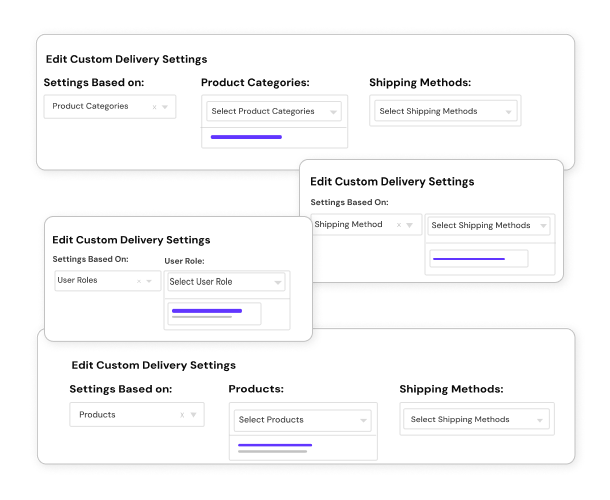
      1. Currently the plugin cannot be enabled or disabled for specific shipping methods. That can be customized for you for a small fee. Please drop me an email on ashok@tychesoftwares.com so I can give you a quote.

      2. You can disable the timepicker if you don’t want your customers to chose time or have multiple customers choose same time.

  36. Stephen says:

    Hi Ashok

    Having some problems with selecting the time when checking out for today. Have set the time for 6pm to 11pm which is the option after todays date but if it is the current date is allows anytime to be selected!

    Also what is the point of the NOW button?

    Any finally is there any way to have two opening times? (It is a restaurant)

    Thanks

    • Ashok Rane says:

      Hi Stephen, do you have same-day delivery enabled?

      The NOW button allows you to select the current time on your PC as the delivery time.

      There is no way to have two opening times with the plugin currently. What are the 2 opening times?

      Could you send me the link to your store?

  37. Stephen says:

    Hi Ashok

    Yes the same-day delivery is enabled.

    The NOW button does let you have the current time even if it not the times allowed. It does seem to switch to pm sometimes when saying ok but I have just now got a am time. And the slider can do anytime for todays date (but not for later dates which are ok…

    Thought that would be the case. Restaurant is open for lunch and dinner with a gap between….

    The store pages are not live so don’t think I can send you a link. Though I realise seeing is believing…

    Thanks

  38. Andre says:

    Its possible to sell hour appointments?

    Set duration

    Ex:
    i have a music studio with 3 rooms
    or i have a spa with 3 rooms/employee

    Customer will select the hour of the appointment.
    So i someone already bought 19/03/2013

    • Ashok Rane says:

      I think you are referring to timeslots. That is not possible right now. That will be part of a future release, the one after the next update.

      I can customize this for you for a small fee. Please drop me an email on ashok@tychesoftwares.com with the details & I can give you a quote.

  39. Checking up again here how is the new version comming?

    • Ashok Rane says:

      Thanks for the follow-up. I’ve had 2 rounds of testing done on it by my development team & had a few minor fixes done too. Now it’s time for me to test it & give a final go-ahead.

      Currently I am travelling in US for a month to attend a few conferences, which gives me limited time.

      But I do sincerely hope to have the testing done in this week & the update being released in the next week.

    • Ashok Rane says:

      I have just released the new update today. You would have received an email with a download link. Thanks for following up. :)

  40. Gerardo says:

    Please notify me when the plugin works with 2.xx WooCommerce- Thanks

  41. Ciaran Whelan says:

    Hi Ashok,
    I do not have your email address on my gmail, so have to send a message via here. I would like to download the latest version as I have an issue with the plugin not working as it is supposed to on our site with the latest WooCommerce and Catalyst Theme.

    Once I have your email, I will send you credentials of the site so you can see for yourself of the functioning.

    Regards,

    Ciaran

  42. Ciaran Whelan says:

    Hi again Ashok,

    I notice that someone near the end of last year asked for a collection date to be added to the functions. Can you confirm that this was done at some stage, and if so I would like to add this to our site to see if it will be something that we can use.

    Ciaran

    • Ashok Rane says:

      Yes, someone had asked to have Collection/Pickup date & Delivery date both on the checkout page. Do you want the same thing too?

      This was never added in the current plugin neither it was added for that customer as for some reason, he chose not to add it to his site.

      Let me know if you want to have that on your site. Once again, my email is: ashok@tychesoftwares.com

      Regards,
      Ashok

  43. Neil says:

    I’ve noticed when using this plugin on a Responsive theme the Delivery Date field is too wide and causes a scroll bar.

    This part is the problem in ‘order_delivery_date.php’ file:
    ‘;

    I’ve fixed it using my child-theme by adding this to the child ‘style.css’ file:
    #wpefield_delivery_date_field{max-width:100%!important;}

    Thought I’d share.

    Thanks

    Neil

  44. Matt says:

    Hi Ashok,

    When i update from 2.2 to 2.3, do i uninstal and delete the old plugin and then reinstall it?

    I’ll lose all the dates I’ve booked for holiday etc, no?

    • Ashok Rane says:

      Hi Matt,

      Yes, you will have to delete 2.2 & reinstall the 2.3 version.

      You will loose all the old settings & you will have to enter them again. This would be the last time that would happen as 2.3 now has the automatic updater wherein updates can be pulled directly without deleting/reinstalling.

      :Ashok

  45. Matt says:

    Yup. Cheers Ashok.

    You can use http://www.kathyscupcakery.com as an exampl eof how awesome your plugin is you like:

    http://www.kathyscupcakery.com/checkout/

  46. Neil says:

    Hi Ashok,

    I tried emailing but didn’t get a reply so hopefully this message finds you.

    I would like to insert the ‘Delivery Date’ field into the email template in WooCommerce in the WP-Admin section: “WooCommerce – Settings – Emails – New Order”
    I have looked at modifying the template but have been unsuccessful.

    Please can you help? If it is not possible I would need to refund the plugin purchase.

    Many thanks in advance

    Neil

    • Ashok Rane says:

      Hello Neil,

      Sorry for the late reply. I sent an email to you 5 minutes ago.

      :Ashok

      • Neil says:

        No problem, wondered if my emails had been getting lost.

        I have now managed to work out and customise the email subject myself.

        Happy to share if anybody else wants to know how I did it.

        Many thanks

        Neil

  47. jacopo says:

    Very interesting plugin.
    can you explain how does the APPOINTMENT feature works?

    our need is a bit unusual:
    we are going to sell admission tickets to shows (so it’s going to be virtual products, no physical delivery).

    We don’t want to choose the date in the cart, but right on the product page before hitting “add to cart”, just like any other product option.

    Basically each product should have its own availability calendar, and the customer can choose the date before buying.
    Potentially she/he should be able to buy multiple tickets, each one with different date.

    do you have anything going in this direction?

    • Ashok Rane says:

      Currently the appointment just allows you to book fixed number of appointments per day (by renaming the field label).

      I have sent you an email for the rest of your requirements.

  48. Mark says:

    I’m creating a Hot Air Balloon Rides website for a client. He needs the ability to sell his rides online and show a calendar with available dates. Each date can have up to 4 tickets/rides/deliveries whatever you want to call them. Would this plugin allow for that type of application?

    Say a customer wants to book a ride for 3 people – can they view the calendar and see what days have 1 or less already booked for that same day?

    There are weight restrictions too? The 4 passengers can’t weigh over 800lbs combined… I know that’s a bit advanced but curious if it could handle any or all of this client’s needs?
    Thanks!!

  49. Ashok Rane says:

    Hi Mark, the plugin currently does not handle any of the requirements you want. It can only capture dates on the checkout page as of now.

    I have sent you an email for the rest of your requirements.

  50. Mark says:

    Hi

    just so I understand, it seems like the delivery times are an hour slots.
    Now, if someone orders a delivery at 10.00 AM does the system then ‘block out’ another delivery being ordered at 10.00 AM?

    If so it could work.

    Ideally though:
    I am looking at a project where we need something similar to delivery slots that supermarkets tend to use, i.e. we would have preferred a between 10.00 and 12.00 (3 slots available)
    Even more ideally:
    The days would be pre-selected bassed on area / postcode as the delivery van is only in a certain area on a certain day.

    • Ashok Rane says:

      It doesn’t block out another delivery once a particular time is chosen for a prior delivery.
      It can be done the way you need it, but that will need to be done by using time slots instead of current time sliders. Number of deliveries per time slot can also be limited if needed.

      We can have different days loaded as per the postcode or shipping method, however, that is not inbuilt in the plugin. That’s something that can be customized & built for you.

      Please drop me an email at ashok@tychesoftwares.com if you want to include such a feature.

      • Mark says:

        Thanks Ashok.

        I am talking to the client about the project so will let you know if we need to take it further.

        Does sound like a good idea to use time slots though for people using your plug in who have just 1 van or 1 delivery driver so they couldn’t take on more deliveries at the same time.

  51. Hi Ashok,

    Goof plugin BUT there is one flaw with the current plugin.

    I will be using it on an e-commerce site that offers next day delivery. If I book a holiday in the system (e.g bank holidays in the UK) the plugin still allows next day delivery.

    Let me explain in more detail as I’m sure this is applicable to a lot more people/stores than me:

    Monday 27th May was a bank holiday in the UK so on the plugin I marked this as a bank holiday, correctly the plugin doesn’t offer deliveries on this day.

    HOWEVER AND THIS IS WHERE THE ISSUE IS, it allows deliveries the day after a holiday, which is fine if they order before the cut off point (I’ve set to 16:00) so for arguments sake if they’d ordered before 16:00 on Friday 24th May there’s still staff about to complete the postage requirements and book a courier BUT if they order after 16:00 on Friday 24th May or even on Saturday, Sunday or Monday, the plugin is still suggesting they can have delivery on Tuesday 28th May – this is incorrect, the earliest they should be able to have delivery is Wednesday 29th May (if they order after the cut off point the day before a holiday) as clearly there are no staff about to complete the order.

    I’ve contacted you about the issue but you seem relucatant to do anything about it, I’m highlighting this issue as I KNOW IT WONT JUST AFFECT ME AND IM SURE OTHER PEOPLE READING THIS WILL CONFIRM THIS IS AN ISSUE.

    The workaround currently is after the cut off point the day before a holiday to manually put another holiday in the day after the holiday – but this isn;t the best way – it would be much better if you could code the plugin to do this automatically.

    Thanks for your time

    Will

    • Ashok Rane says:

      Hi Will,

      I assume you meant “Good plugin” and not “Goof plugin”. A single alphabet changes everything.

      I do understand your point. This is something that I may take up at some time in future. A gap of 2 days for my response via email would not really indicate I am reluctant to take this up.

      Thank you for bringing this up.

      :Ashok

  52. Patrick van Efferen says:

    Hi Ashok,

    I Have been implementing you pro plugin. Great work, thanks.

    I run in to trouble though. It seems in firebug that the header tags your module prints, end up within the body tags of the HTML file. When I look at the source it seems fine, any thoughts?

    thanks,
    Patrick

    • Ashok Rane says:

      Hi Patrick,

      Thank you for the appreciation. Could you give me the URL of the site so I could look at it? Firebug would be showing the correct source I think, which means what you are saying could be true. Feel free to drop me an email at ashok@tychesoftwares.com so I can check your website.

      :Ashok

  53. RealFikus says:

    Hi !
    Just purchased plugin. Great features, but see some errors on my site:
    WooCommerce 2.0.8
    WP 3.5.1
    123Ecology Themeforest Theme

    In backend i have no see and can’t change Theme choice dropdown for plugin in Appeareance tab.
    In Frontend – wrong and transparent view of date picker.

    May this CSS error. Can U help my with this problem. Your plagin very needed. Great work.

    Thanks !

  54. Jan says:

    And what may I have overlooked?

    The admin notification email does not contain the Delivery Date & Time. Do I have to add it manually in the template or what?

    Kind regards,
    Jan

    BTW! +1 to the time slots suggestion. I need to be able to have two slots available during the day and.

    • Ashok Rane says:

      Hi Jan,

      Thank you for purchasing the plugin. You have to select the “Show Delivery Date in Customer Notification Email:” checkbox in the “Date Settings” tab. Once that is selected, you will receive the Delivery Date & Time in the customer & admin notification emails.

      If it does not work after checking the above setting, please let me know.

      :Ashok

  55. Daniel says:

    Hi I purchased your plugin the other day and installed it, no problems however I realised earlier that it has made my checkout button on the checkout page disappear?

    Assuming this is a mere CSS issue but don’t know how to solve it, your help would be greatly appreciated

Leave a Reply

Shopping Cart

Your shopping cart is empty
Visit the shop

Premium Plugins

Free Plugins

Increase your online sales

Sign up for an occasional email to accelerate your online sales


Recent Comments

  • User AvatarAshok Rane { Sure. I can help. Please email me your website details with wordpress admin & FTP details so I can check. } – Jun 19, 10:45 AM
  • User AvatarBen { Hi, I've installed your Free Version which shows the Delivery Date field successfully on our checkout page, but the date picker element doesn't work. I'm... } – Jun 19, 10:33 AM
  • User AvatarDaniel { Done :) } – Jun 18, 10:16 PM
  • User AvatarAshok Rane { Hi Daniel, That's weird. Are you sure it's the Order Delivery Date plugin that causes the checkout button to disappear? If you deactivate my plugin,... } – Jun 18, 9:40 PM
  • User AvatarDaniel { Hi I purchased your plugin the other day and installed it, no problems however I realised earlier that it has made my checkout button on... } – Jun 18, 9:33 PM