


How to Get Variation Product Price in WooCommerce?
WooCommerce’s product variation feature allows you to set multiple attributes, variations, and different prices for variable products. For example, a T-shirt is available in a


WooCommerce’s product variation feature allows you to set multiple attributes, variations, and different prices for variable products. For example, a T-shirt is available in a

In WooCommerce, the manual creation and deletion of coupons are straightforward, but the process is easy only when dealing with a limited number of coupons.

Capturing customer email addresses in online shopping is good for building relationships. The early capture of email addresses during the ordering process is essential to

While coupon deletion can be done manually from the Marketing >Coupons in WooCommerce, why do we need to delete a coupon programmatically? For an online
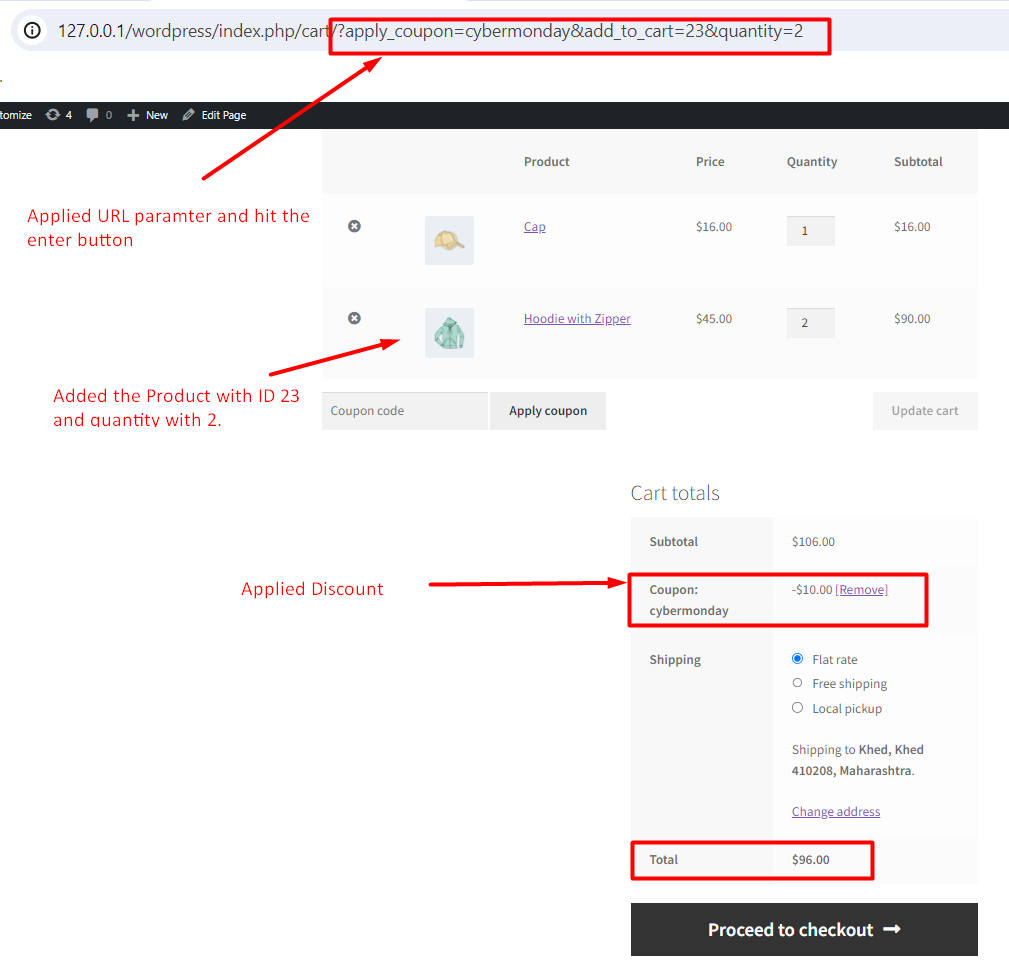
By default, WooCommerce enables you to generate URL coupons in WooCommece manually. One good way is to bypass manually entering coupon codes! This could also

When it comes to managing WooCommerce orders, bulk actions can help the process by allowing users to update order status, send emails, or perform other

In WooCommerce, the default registration form is quite basic and doesn’t offer the option to add extra fields to your online store. However, there may

Customizing the titles on your WooCommerce account page is something many people do to make their online store look and feel just right. The ‘My

If your online store doesn’t sell any digital products or downloadable, then there is no need to have the ‘Downloads’ menu on the My Account

The default WooCommerce sets the order status to “on hold” when an order is completed. However, customers expect their orders to be completed immediately, especially