


How to Add Message for Out-Of-Delivery Area Warning in WooCommerce Cart?
If you need to inform your customers that you are unable to deliver a product for a particular area, use the following snippet. Output The
If you need to inform your customers that you are unable to deliver a product for a particular area, use the following snippet. Output The

Wanted to add a custom checkbox field to the billing section on the WooCommerce checkout page. This can be useful for collecting additional information or

Are you looking to change the “Ship to Different Address” field open by default on the checkout page, then here is the solution. Output The

Looking to improve the UI of your checkout page by adding shipping icons for each available shipping method? This solution will help you achieve that.

Looking to improve the WooCommerce checkout page by adding a custom text field to the billing section. This feature is ideal for collecting extra information

Here is the solution if you want to display the custom message above the shipping options in the cart totals section on the WooCommerce cart

Are you looking to move your shipping calculator on your cart page from the default position to a new one? This snippet is the solution

Do you want to remove the WooCommerce shipping calculator on a mobile device on the cart page? Then this snippet is the solution. Output This

If you want to add the custom dropdown list in the billing section of the WooCommerce checkout page, then here is the solution. Output The
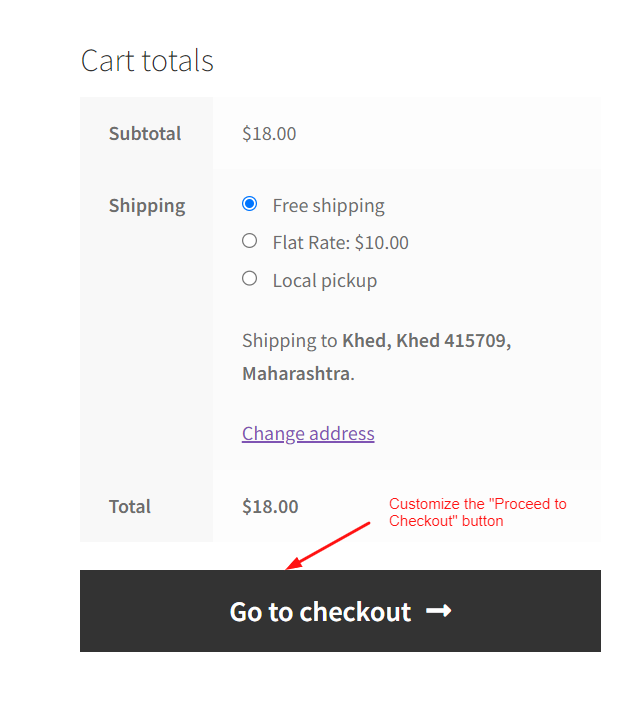
Looking to customize the “Proceed to Checkout” button text on the cart page, then this snippet will help you to customize the button. Output The

