


How to Move Shipping Calculator to The Top of the Cart Totals in WooCommerce?
Are you looking to move your shipping calculator on your cart page from the default position to a new one? This snippet is the solution


Are you looking to move your shipping calculator on your cart page from the default position to a new one? This snippet is the solution

Do you want to remove the WooCommerce shipping calculator on a mobile device on the cart page? Then this snippet is the solution. Output This

If you want to add the custom dropdown list in the billing section of the WooCommerce checkout page, then here is the solution. Output The
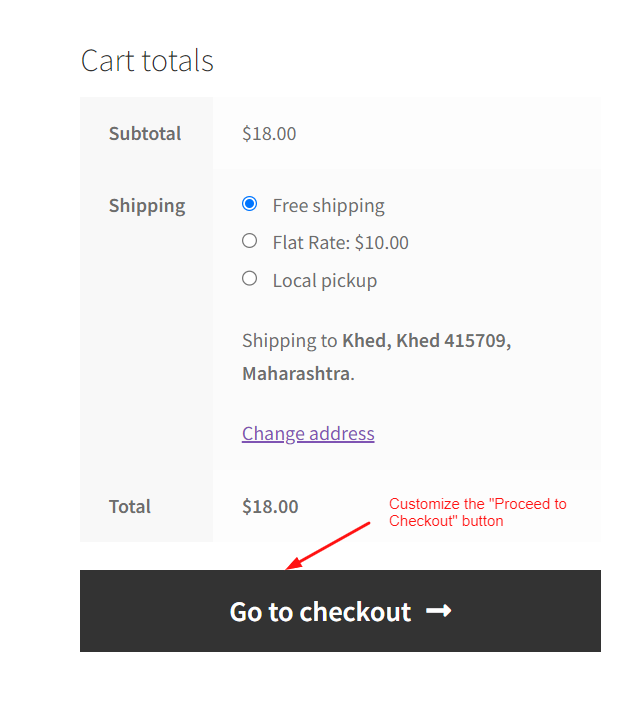
Looking to customize the “Proceed to Checkout” button text on the cart page, then this snippet will help you to customize the button. Output The
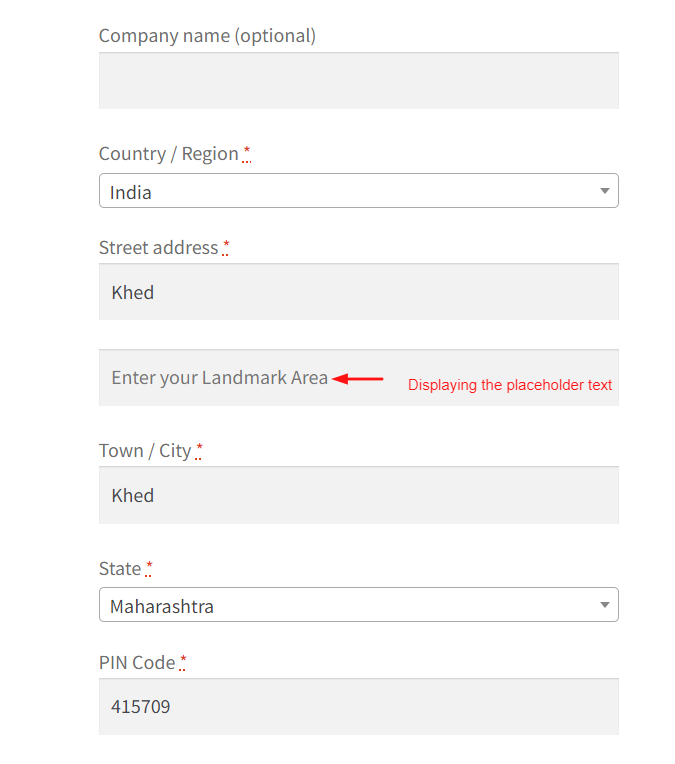
Looking to customize the default checkout fields in WooCommerce by modifying the placeholder text for the ‘Address Line 2’ field. In this case, it changes

Looking to display a custom message about limited stock in a product? This code snippet can help you. Output The below output shows that the

An easy solution to adjust the displayed shipping costs as”free” when the cart total is greater than or equal to a certain amount by using

Want to keep customers informed about additional costs or details related to their chosen shipping option? This code snippet allows you to display a custom

Do you want to replace the default shipping label names with more personalized ones? This code allows you to change the default label “Flat Rate”

With this custom code, you can enforce a minimum order amount based on the customer’s shipping zone before allowing them to proceed to checkout in