


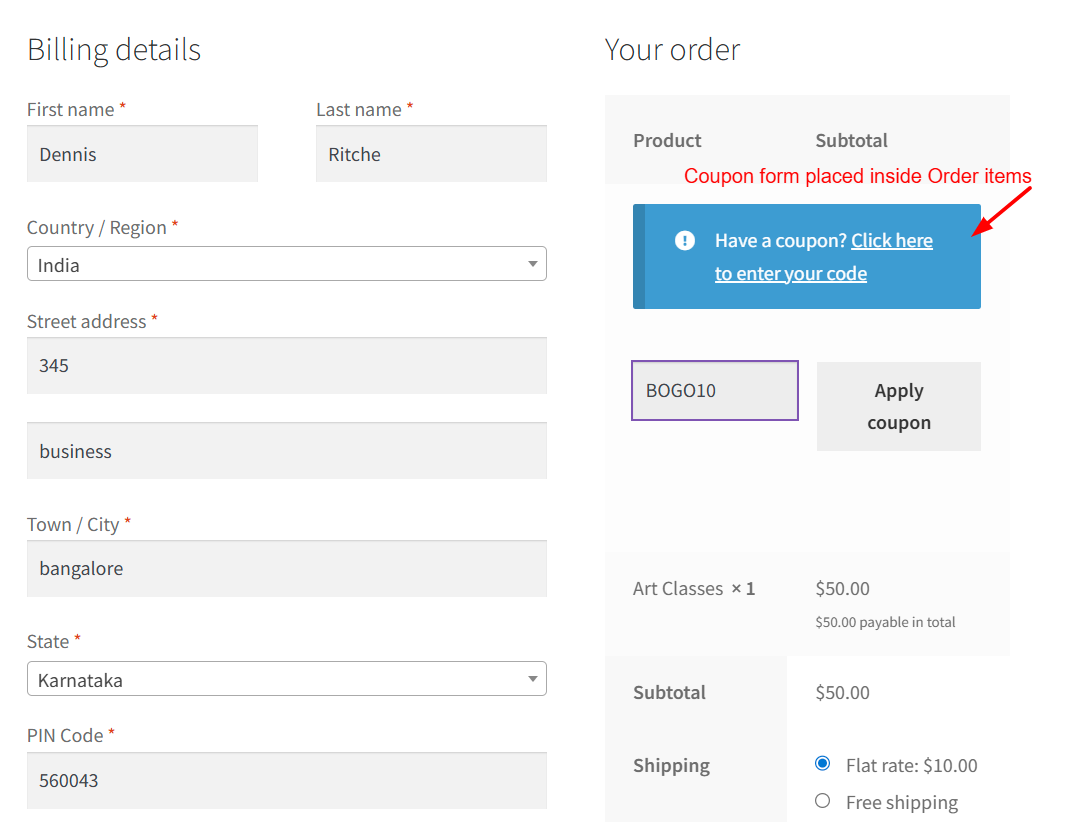
How to Move WooCommerce Coupon Form Inside the Order Items Table on Checkout Page?
The coupon field is an important part of the checkout experience, but in WooCommerce, the default placement isn’t always ideal. By default, the coupon form


The coupon field is an important part of the checkout experience, but in WooCommerce, the default placement isn’t always ideal. By default, the coupon form
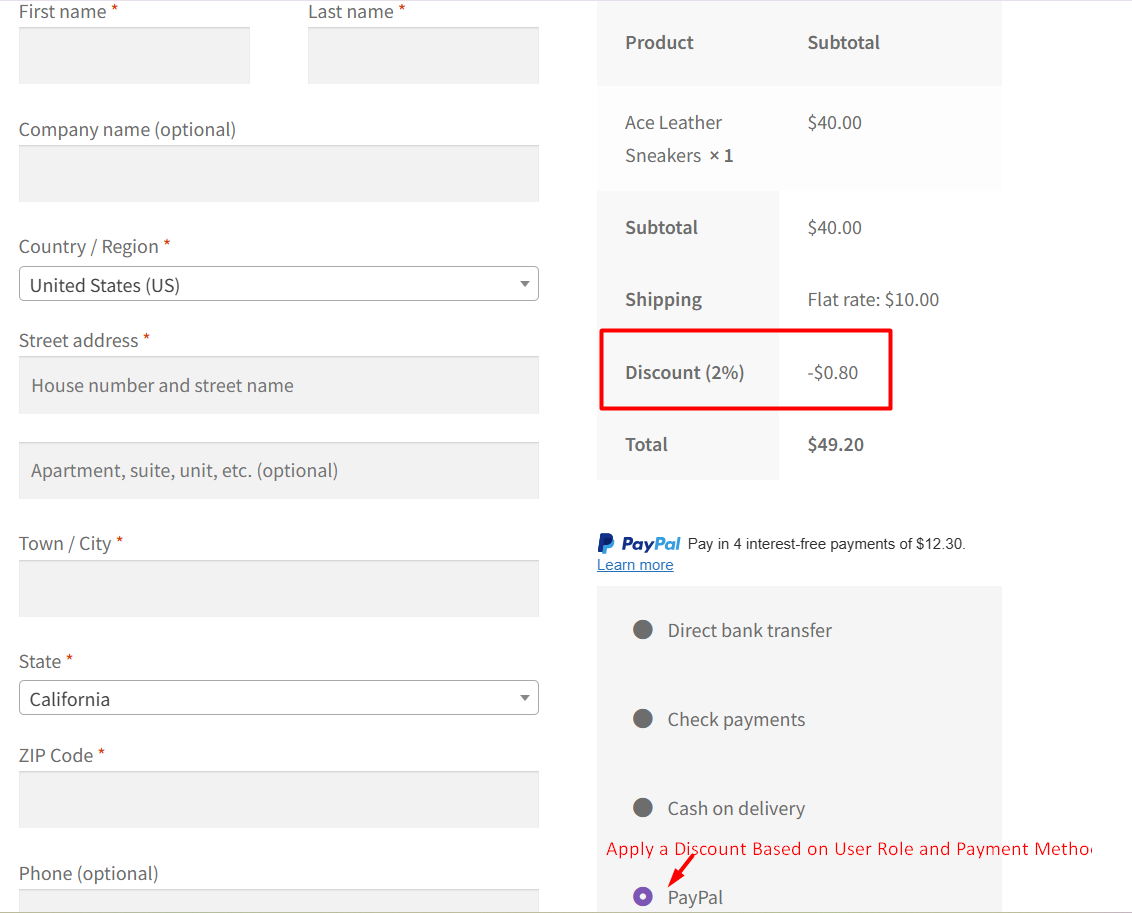
WooCommerce gives store owners a basic foundation to apply discounts, but it still lacks one practical feature many store owners need: a way to automatically
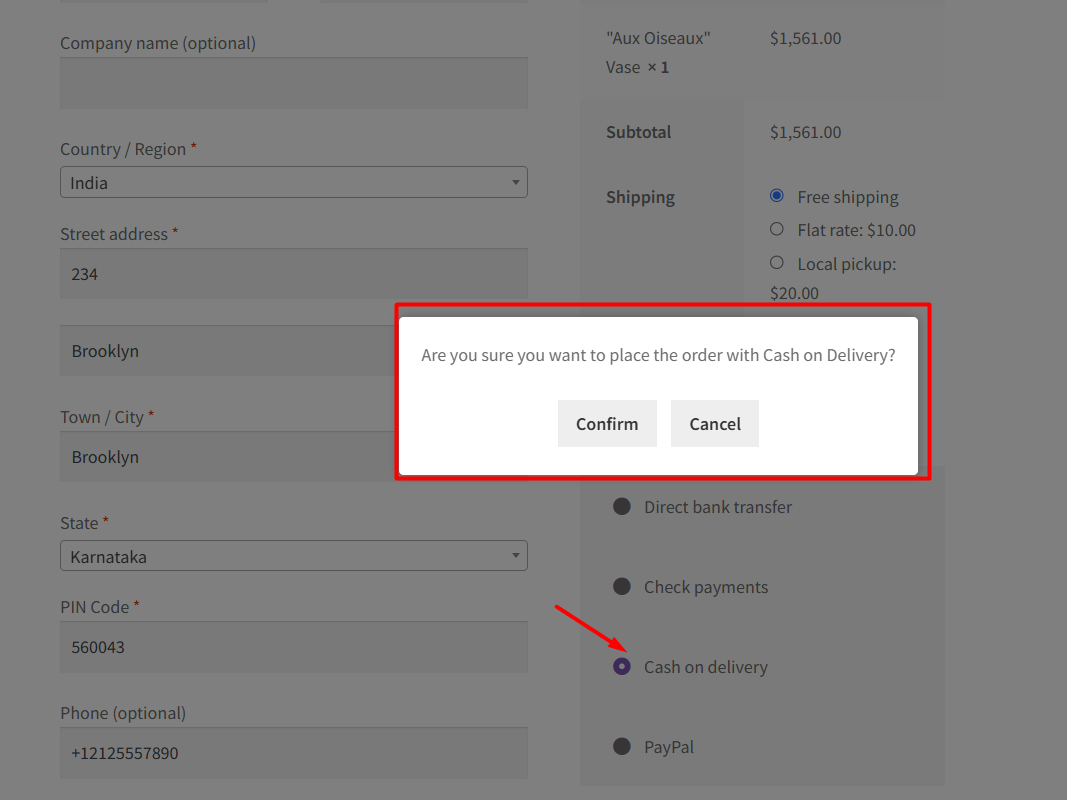
Offering Cash on Delivery (COD) is convenient for your customers, but sometimes users click it by mistake, or they’re unsure whether they really want to

WooCommerce provides a flexible checkout process, but sometimes stores need extra features to offer more options and services to customers. One such feature is adding
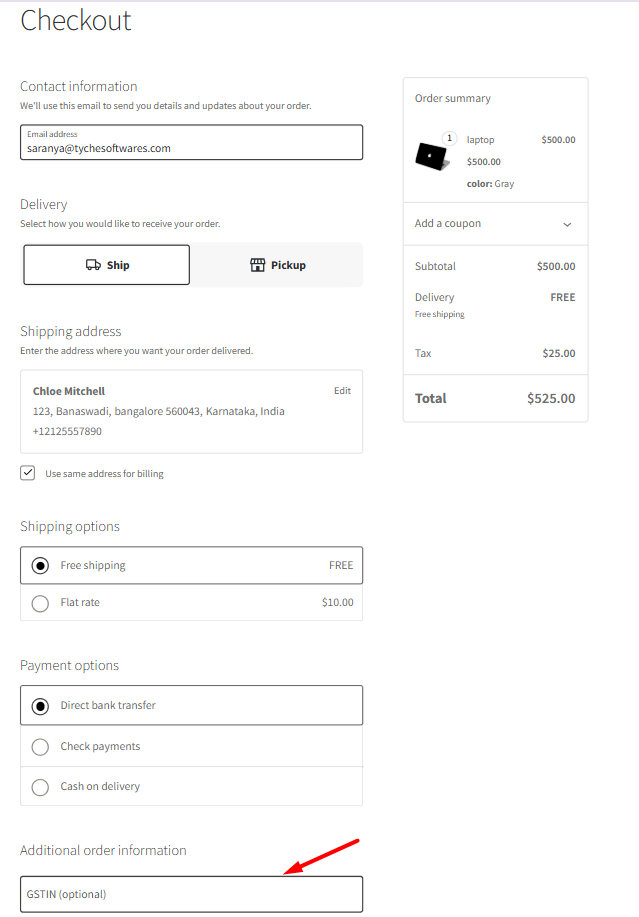
WooCommerce has been shifting much of its checkout experience to Checkout Blocks, a modern React-based interface that replaces the legacy shortcode-based checkout page. This change
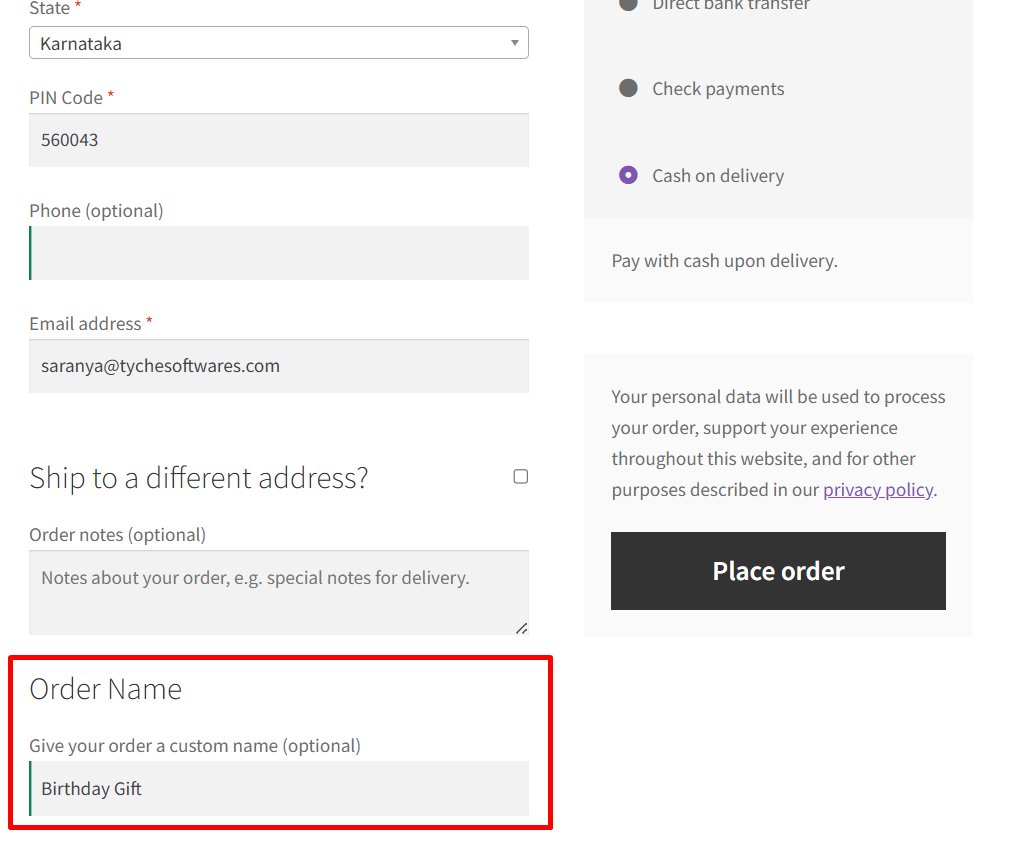
Every customer is unique, and so are their needs. Sometimes, the default checkout fields in WooCommerce just aren’t enough, especially when your store needs additional

If a store has set the terms and conditions as shown below in the page setup, then the checkout page will have a compulsory checkbox

In WooCommerce checkout blocks, basic validation is set when an email is not entered or when an incorrect email address is entered. However, in some

If you are using our Booking and Appointment Plugin for WooCommerce, the dafault labels such as “Number of days selected” and ‘Price per Day’ is

Businesses that offer services based on time durations, such as hotel rooms, car rentals, or equipment hire bookings using the WooCommerce Booking and Appointment plugin,