


How to Add Product Images to WooCommerce Checkout Page?
Adding product images to the WooCommerce checkout page orders helps to enhance the customer experience by providing visual confirmation of the products they are about


Adding product images to the WooCommerce checkout page orders helps to enhance the customer experience by providing visual confirmation of the products they are about

The ability to hide shipping methods based on the presence of PO Boxes in address fields is an easy option now. The code snippets let

This customization is implemented by store owners when some integrated payment gateways require redirection to an external page for payment processing. In such cases, this

Want to show the delivery timeframe for back-ordered products? With the given code snippet you can easily inform customers about the potential delay in delivery

Are you shipping only to a limited number of states from a specific country? This customization allows you to exclude certain states from being displayed

Providing the user’s preferred language instructions on the placeholder values of the checkout fields is one valuable customization. The code changes the default English placeholders

The below code addresses the need to set a maximum shipping cost based on the customer’s shipping country. Specifically, if the customer is in the
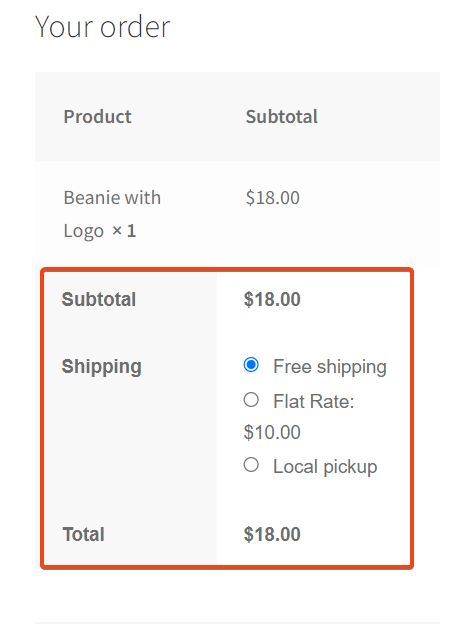
Customizing the display of shipping totals on a WooCommerce checkout page can serve several purposes, catering to specific needs and making themes more attractive to

Sometimes, you may want to make certain fields optional in the Shipping section of the WooCommerce checkout page. This code snippet provides a way to

Wanted to add a custom checkbox field to the billing section on the WooCommerce checkout page. This can be useful for collecting additional information or