


Shipping is often the make-or-break moment for an online store. It is the only physical touchpoint between you and your customer, yet it is also the most complex part of running an e-commerce business.
If you are relying solely on the default WooCommerce settings, you have likely hit a wall. Maybe you can’t charge different rates for heavy items. Maybe you are tired of copy-pasting addresses into FedEx to print labels. Or perhaps you are losing customers because they can’t choose when their package arrives.
The default “Flat Rate” and “Free Shipping” options are great for starting out, but they don’t scale. To compete with the “Amazon standard” of logistics, you need a robust shipping infrastructure.
In this guide, we aren’t just giving you a random list of tools. We have categorized the 10 best WooCommerce shipping plugins by the specific problem they solve—from calculating complex rates and setting logic rules to automating labels and managing delivery dates.
What is a WooCommerce Shipping Plugin?
A “WooCommerce Shipping Plugin” is any extension that adds functionality to the native shipping core of WooCommerce. However, this is a broad term. In reality, shipping plugins usually fall into four distinct categories based on which part of the logistics cycle they handle:
- Rate Calculators: These plugins connect to carriers (like UPS, FedEx, or DHL) to show live, real-time rates at checkout based on the weight and dimensions of the cart.
- Advanced Rules (Logic): These allow you to set “If/Then” conditions. Example: “If the total weight is over 50 lbs, hide the Express Shipping option.”
- Fulfillment & Labels: These tools bridge the gap between your website and the warehouse, helping you print shipping labels, generate packing slips, and sync tracking numbers automatically.
- Delivery Management: These plugins put the control in the customer’s hands, allowing them to select specific delivery dates, time slots, or local pickup locations.
Most stores will need a combination of these tools to build a complete shipping ecosystem. Below, we break down the best-in-class options for every stage of your shipping journey. Here are some of the best WooCommerce plugins in each category.
Advanced Shipping Rules WooCommerce Plugins (Logic & Conditions)
Best for: Stores that need “If/Then” logic, weight-based tiers, or complex restrictions.
If your store sells products with wildly different sizes (like furniture vs. accessories) or you need to block specific regions, the default WooCommerce settings won’t cut it. You need a “Rules Engine.” These plugins act as the brain of your shipping operations, deciding exactly which options a customer sees based on what is in their cart.
1. WooCommerce Advanced Shipping (by Jeroen Sormano)
This is widely considered the “Swiss Army Knife” of WooCommerce shipping. It doesn’t just calculate rates; it allows you to build completely custom conditional shipping logic using a simple user interface. You can create rule groups that act like filters—if a cart doesn’t pass the filter, the shipping method is hidden.
- Best For: Creating boolean logic (e.g., “If Weight > 10kg AND Zip Code = 10001, Hide Free Shipping”).
- Key Features:
- Unlimited Conditions: Set rules based on cart weight, volume, user role, stock status, and even coupon codes.
- No Coding Required: Uses a visual “Condition Builder” interface.
- Zone-Free Flexibility: You don’t have to use Shipping Zones; you can target specific states or postcodes directly in the rule.
- Price: ~$23 (One-time payment).
2. Flexible Shipping (by Octolize)
With over 100,000 active shops using it, this is the heavyweight champion of table rate plugins. Octolize (formerly WP Desk) is a dedicated shipping software company, ensuring high reliability. This plugin extends the native flat rate method, allowing you to calculate shipping costs based on weight and cart total with infinite flexibility.
- Best For: The classic “Weight vs. Distance” matrix and progressive pricing.
- Key Features:
- Progressive Weight Calculations: Easily set rules like “Base cost $10, plus $1 for every additional kg.”
- Cart Total Rules: Offer discounted shipping rates once the cart value hits a certain threshold (e.g., “50% off shipping for orders over $100”).
- Free Shipping Overrides: Force free shipping when certain rules are met, overriding other calculations.
- Price: Free version available; Pro version starts at $99/year.
3. Conditional Shipping & Payments (by WooCommerce)
Sometimes, the problem isn’t the rate, but the method. This official extension is unique because it allows you to restrict shipping methods and payment gateways. For example, you can prevent a customer from selecting “Cash on Delivery” if they choose “Express Shipping.”
- Best For: Regulatory restrictions and gateway management.
- Key Features:
- Gateway Logic: Hide “Stripe” or “PayPal” for certain products or countries.
- Shipping Restrictions: Stop customers from selecting specific shipping carriers for hazardous or fragile products.
- Customer Role Rules: Offer special shipping methods only to “Wholesale” users.
- Price: $109/year (Official WooCommerce Extension).
Real-Time Rates Calculator WooCommerce Plugins
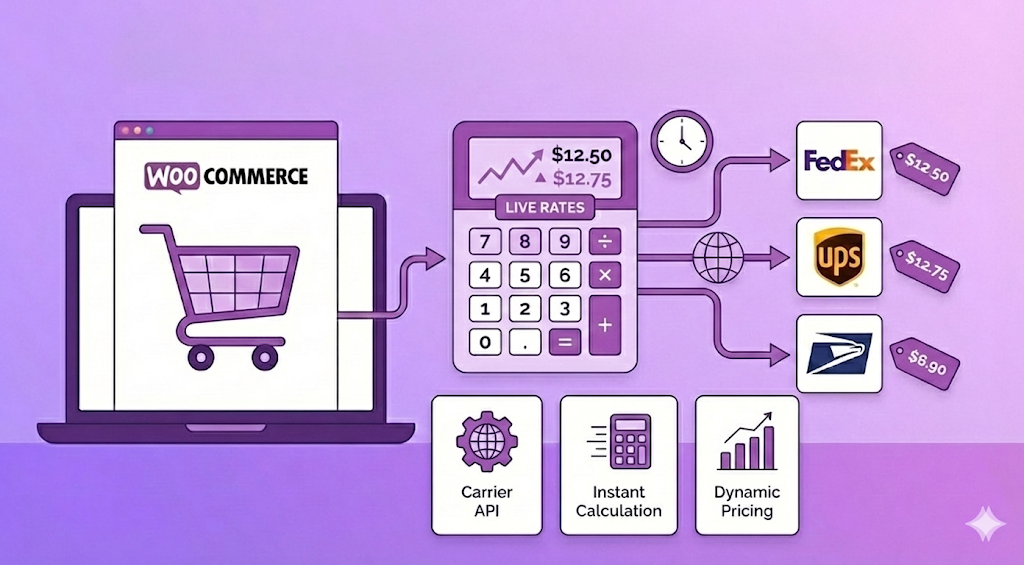
Best for: Stores that want to show live rates from carriers like FedEx, UPS, or USPS.
If you are shipping globally or selling items with vastly different dimensions, guessing the shipping cost is a recipe for disaster. You either overcharge the customer (and lose the sale) or undercharge (and lose your profit). These plugins solve that by connecting your store directly to carrier APIs to fetch automated carrier rates in real-time.
4. ELEX EasyPost (FedEx, UPS, Canada Post & USPS)
ELEX is a powerhouse in the WooCommerce ecosystem. This plugin uses the EasyPost API to connect your store to multiple carriers simultaneously. Instead of buying separate plugins for FedEx, UPS, and USPS, this single plugin handles them all. It is arguably the most robust solution for merchants who need accurate rates across different service providers.
- Best For: High-volume stores that need multi-carrier API rates and automatic label generation.
- Key Features:
- Multi-Carrier Support: Fetch rates from FedEx, UPS, USPS, and Canada Post in one go.
- Estimated Delivery Days: Displays the estimated arrival date next to the shipping method (e.g., “FedEx Ground – 3 Days”), which increases conversion rates.
- Price Adjustments: You can add a markup (e.g., +$2 handling fee) or markdown to the live rates returned by the carrier.
- Price: Free version available; Premium starts at $99/year.
5. WooCommerce Shipping Services by PluginHive
PluginHive offers a unique “SaaS-hybrid” approach. While it is a plugin, much of the heavy lifting happens on their servers. This allows for incredible speed and one of the best box packing algorithms on the market. It calculates exactly how your products fit into your preset box sizes to request the most accurate rate possible from the carrier.
- Best For: Stores with irregular product sizes that need accurate dimensional packing to avoid carrier surcharges.
- Key Features:
- Smart 3D Packing: It visualizes how items fit into a box (stacking, rotating) to determine the correct package size before asking the carrier for a rate.
- Deep Integration: Supports 50+ carriers worldwide, including regional ones like Aramex, Purolator, and Australia Post.
- Label Automation: You can print shipping labels directly from the WooCommerce order page with a single click.
- Price: Premium plan starts from $9/month
Best Shipping Label & Printing WooCommerce Plugins
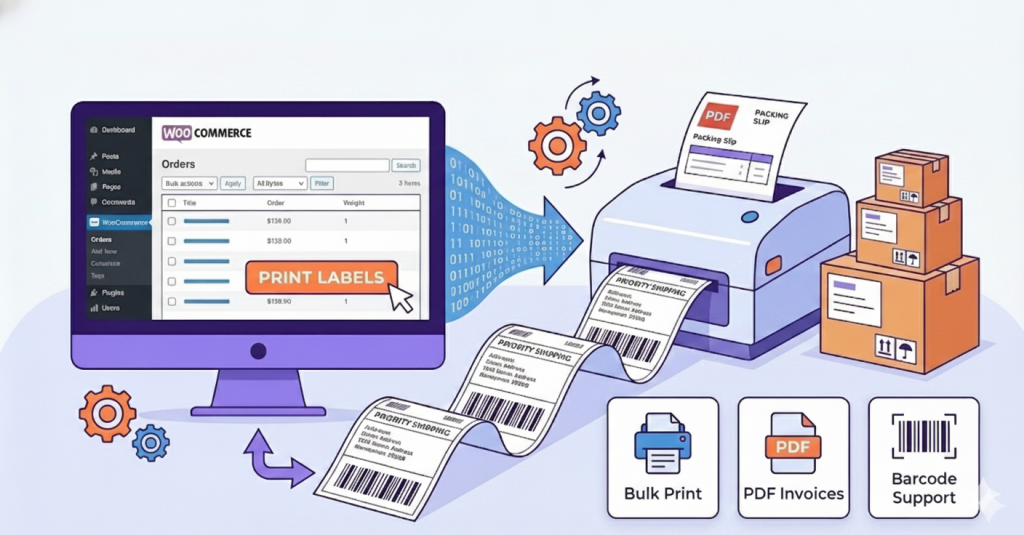
Best for: Generating the physical paperwork—packing slips, invoices, and product barcodes.
Once a customer pays, the digital order must become a physical package. This bridge between “screen” and “box” is often where errors happen. These plugins automate the creation of documents, ensuring that every box leaves the warehouse with the correct legal invoice and packing list.
6. WooCommerce PDF Invoices & Packing Slips (by WP Overnight)
With over 300,000+ active installations, this is the gold standard for WooCommerce documentation. While many payment gateways send an email receipt, they don’t generate a printable PDF invoice or packing slip to put inside the box. This plugin generates them automatically and attaches them to the order confirmation email.
- Best For: Professionalizing your fulfillment process and tax compliance.
- Key Features:
- Auto-Generate: Automatically attaches a clean, professional PDF invoice to the “New Order” email.
- Fully Customizable: You can add your logo, modify the layout, and add custom footer text (like “Thank you for your business!”) via HTML/CSS.
- Bulk Printing: Select 50 orders in your dashboard and download all their packing slips in one single PDF file for faster warehouse processing.
- Price: Pro version starts from €69.00. This plugin also has a free version.
7. Shipping Labels, Dispatch Labels & Delivery Notes (by WebToffee)
If you need more than just a simple invoice, WebToffee offers the most versatile document generator on the market. It is specifically designed to create the “operational” documents that warehouse teams need: Dispatch Labels (for internal use) and Shipping Labels (for the package). It bridges the gap between a simple address sticker and a full shipping document.
- Best For: Stores that need specific Shipping Labels and Dispatch Notes without connecting to a carrier API.
- Key Features:
- Wide Variety of Labels: Generate Shipping Labels, Dispatch Labels, Delivery Notes, and Address Labels all from one dashboard.
- Bulk Print Actions: Select multiple orders and print all their labels in a single click—a massive time-saver for high-volume days.
- Template Customization: Easily add your store name, logo, return policy, or custom footer details to every label to maintain brand consistency.
- Price: Free version available; Pro version starts at $59/year.
8. Printus (Cloud Printing for WooCommerce)
The bottleneck in many warehouses is the “Download PDF -> Open File -> Click Print” loop. Printus solves this by creating an automated warehouse printing workflow. It connects your website directly to your physical printer. When a customer places an order, the packing slip and invoice are physically printed out in your warehouse instantly—without you touching a computer.
- Best For: “Zero-touch” fulfillment and kitchen/warehouse automation.
- Key Features:
- Cloud Printing: Sends print jobs from the cloud directly to your USB or Network printer.
- Auto-Print Triggers: Set rules like “When order status changes to Processing, print the Packing Slip on Printer A and the Invoice on Printer B.”
- Speed: Reduces the time to process a new order from minutes to seconds.
- Price: Free for less than 50 prints; for higher volume, service requires a monthly plan based on print volume.
All-in-One ECommerce Fulfillment Integrations
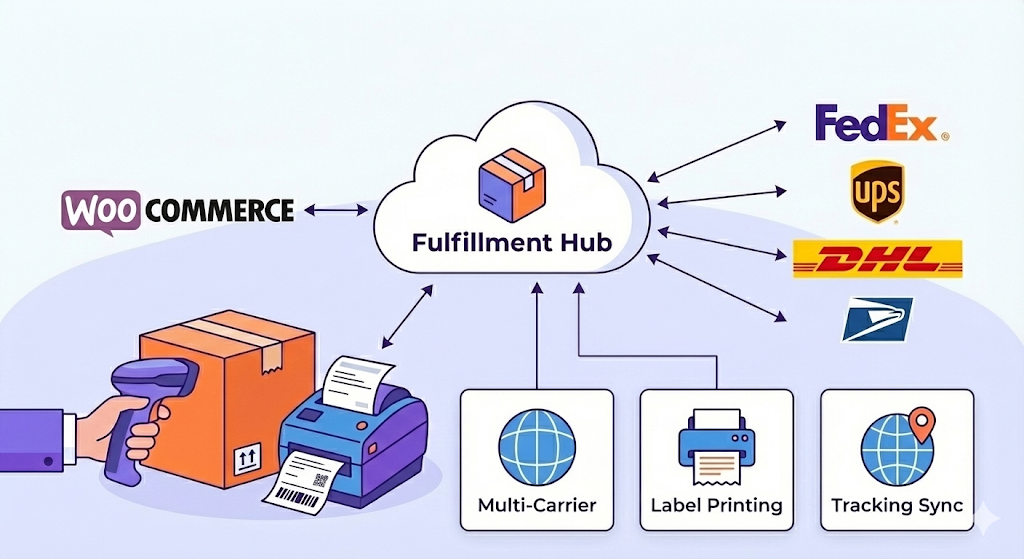
Best for: High-volume stores that need to print bulk labels, manage inventory, and sync tracking automatically.
When you are shipping 50+ packages a day, logging into your WordPress dashboard to print labels one by one is too slow. You need a dedicated “Shipping Station.” These solutions connect your WooCommerce store to an external dashboard where you can compare rates, print labels in batches, and dispatch orders across multiple channels (like Amazon and eBay) simultaneously.
9. WooCommerce ShipStation Integration
ShipStation is the industry standard for shipping fulfillment, particularly in North America. If your goal is warehouse management and efficiency, this is the tool to beat. It imports all your WooCommerce orders into a central dashboard where you can apply “automation rules” (e.g., “If international, assign to DHL and add a customs form”).
- Best For: High-volume merchants who need “military-grade” organization and bulk processing.
- Key Features:
- Batch Label Printing: Print 500 shipping labels for different carriers in a single click.
- Branded Returns Portal: Gives your customers a self-service portal to generate their own return labels, saving your support team time.
- Automation Rules: Automatically map shipping services based on product weight, value, or destination.
- Price: Free Plugin (Service requires a monthly subscription starting at $15/mo).
10. Shippo for WooCommerce (Best for US/Global)
If ShipStation feels too complex or expensive, Shippo is the perfect alternative. It is famous for its “Pay-as-you-go” model and incredibly user-friendly interface. It connects directly to WooCommerce to import orders and allows you to buy labels immediately—often with deep discounts (up to 90% off) compared to retail post office rates.
- Best For: Mid-sized stores that want cheaper shipping labels without a monthly contract.
- Key Features:
- Deep Carrier Discounts: Access pre-negotiated rates for USPS, UPS, and DHL immediately upon signup.
- Smart Defaults: It remembers your most used package dimensions and carrier choices to speed up label creation.
- Tracking Sync: Automatically pushes the tracking number back to WooCommerce and marks the order as “Completed” the moment you buy the label.
- Price: Free Plugin. Separate paid plans for App and API usage.
11. SendCloud (Best for Europe)
If your store is based in Europe, SendCloud is the undisputed leader. It integrates with major European carriers that US-centric tools often miss, such as PostNL, DPD, Royal Mail, bpost, and Chronopost. It is built to handle the unique complexities of EU logistics, including service point pick-ups (a huge preference for European shoppers).
- Best For: European merchants needing local carrier integrations and Service Point options.
- Key Features:
- Service Point Picker: Allows customers to choose a local pickup shop (e.g., a ParcelShop) directly at checkout—a massive conversion booster in the EU.
- Automatic Customs Documents: Automatically generates CN22/CN23 forms for non-EU shipments.
- Branded Tracking: Offers a fully customizable tracking page in multiple languages (English, German, French, Dutch, etc.).
- Price: Free Plan available (Paid plans start at ~€26/month).
Best Order Tracking WooCommerce Plugins
Best for: Automating customer notifications and reducing support queries.
The sale isn’t finished when the customer pays; it’s finished when the package arrives. If a customer has to email you to ask “Where is my stuff?”, you have already failed. These plugins automate the communication flow, instantly sending tracking details to the customer the moment you ship the item.
12. Advanced Shipment Tracking (AST) by Zorem
This is the essential “missing piece” of WooCommerce. By default, WooCommerce doesn’t have a dedicated field for tracking numbers. AST adds this field directly to the “Orders” panel. When you add a tracking number and mark the order as “Completed,” it automatically embeds the tracking link and carrier info into the standard WooCommerce email.
- Best For: Adding tracking numbers to emails & creating a custom “Shipped” status.
- Key Features:
- 300+ Pre-defined Carriers: Automatically recognizes the tracking number format for virtually every carrier worldwide (FedEx, DHL, USPS, etc.).
- Custom Order Status: Adds a “Shipped” or “Partially Shipped” status to your workflow, separating these from “Completed” orders for better clarity.
- Fulfillment Dashboard: A dedicated view to see which orders are unfulfilled, ensuring nothing slips through the cracks.
- Price: Free version available; Pro starts at $129/year.
13. AfterShip
If you want to offer an “Amazon-like” tracking experience, AfterShip is the industry leader. Instead of sending customers to a confusing carrier website (like the ugly USPS page), AfterShip sends them to a clean, branded tracking page hosted on your own domain. This keeps the customer engaged with your brand even while they wait.
- Best For: Retention marketing and a premium post-purchase experience.
- Key Features:
- Branded Tracking Page: Display related products, Instagram feeds, or coupon codes on the tracking page to drive repeat sales.
- Proactive Notifications: Sends automatic SMS or Email updates for every step (e.g., “Out for Delivery”, “Failed Attempt”).
- Analytics: deeply analyzes your carrier performance (e.g., “How often is DHL late vs. UPS?”).
- Price: Free for 50 shipments/month; Paid plans start ~$11/month.
14. YITH WooCommerce Order Tracking
If you prefer a native WordPress plugin over a SaaS platform like AfterShip, YITH is the solid, reliable choice. It is a lightweight tool that simply gets the job done without monthly subscriptions or external dashboards. It allows you to import tracking data via CSV, which is great for bulk updates.
- Best For: Stores that want a simple, one-time setup without monthly fees.
- Key Features:
- CSV Import: Bulk upload tracking numbers from a spreadsheet if your warehouse provides end-of-day reports.
- My Account Integration: Automatically shows the tracking button in the customer’s “My Account” area.
- Carrier Auto-Detection: Automatically selects the correct carrier based on the tracking code format.
- Price: Free version available; Premium is ~$70/year.
Best Delivery Management WooCommerce Plugins (Scheduling)
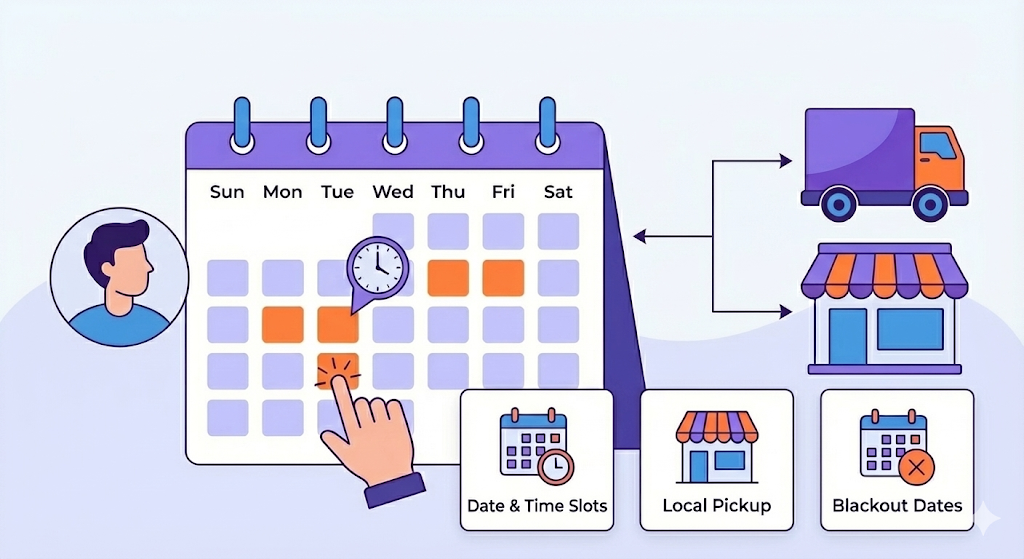
Best for: Letting customers choose “When” they receive their order.
Most shipping plugins answer the question “How much?” or “Who will deliver it?” But the most important question for the customer is often “When will I get it?”
Delivery Management plugins shift the control to the shopper, allowing them to select a specific delivery date, time slot, or pickup location. This is essential for businesses selling gifts, food, flowers, or any time-sensitive product.
15. Order Delivery Date Pro (by Tyche Softwares)
This is the market leader for delivery scheduling. Unlike basic date pickers, Order Delivery Date Pro is built with complex business logic in mind. It ensures that customers can only pick dates that you can actually fulfill. It doesn’t just ask “When do you want it?”; it calculates “When can we deliver it?” based on your operational reality.
- Best For: Florists, Bakeries, Gift Shops, and any store needing precise delivery slots.
- Key Features:
- Preparation Time Logic: Automatically block the next 24 or 48 hours in the calendar to give your team time to pack the order (e.g., “Same-day delivery cuts off at 2 PM”).
- Multiple Local Pickup Locations: Set up multiple local pickup locations and set unique delivery schedules for each location.
- Holiday Management: Block specific holidays or weekends so customers cannot book delivery on days your warehouse is closed.
- Two-Way Sync: Syncs your deliveries to a Google Calendar so your drivers know exactly where to go without logging into WordPress.
- Price: $119/year (Free version available).
16. Local Pickup Plus (by SkyVerge)
While WooCommerce has a basic “Local Pickup” option, it fails if you have multiple stores. Local Pickup Plus creates a robust “Click & Collect” system. It allows customers to select exactly which retail location they want to pick up their order from, treating your physical stores as selectable shipping destinations.
- Best For: Retail chains with multiple physical outlets offering “Buy Online, Pick Up In-Store” (BOPIS).
- Key Features:
- Multi-Location Support: Display a map or dropdown list of all your store locations at checkout.
- Inventory Awareness: You can restrict pickup to specific items (e.g., “Large furniture is only available for pickup at the Main Warehouse, not the downtown boutique”).
- Scheduled Pickups: Allow customers to schedule a specific time window for pickup to avoid overcrowding in your store.
- Price: $99/year.
Which Shipping Plugin Do You Actually Need?
There is no single “Best Shipping Plugin” because shipping isn’t a single task—it is a workflow. The top-performing WooCommerce stores don’t just pick one; they build a shipping stack.
- For the Calculator: Use ELEX or ReachShip to get accurate rates so you don’t lose money.
- For the Rules: Use WooCommerce Advanced Shipping to handle logic (like hiding carriers for heavy items).
- For the Warehouse: Use ShipStation or WebToffee to print labels instantly.
- For the Customer: Use Order Delivery Date Pro to let them choose when their package arrives.
By combining the right tools from the categories above, you move from “shipping packages” to “delivering experiences.”
