


How to Add Radio Buttons to a Specific Shipping Method on WooCommerce Checkout?
Want to provide Local pickup store options to customers via radio buttons below a specific shipping method? The below-given code will add radio buttons below
Want to provide Local pickup store options to customers via radio buttons below a specific shipping method? The below-given code will add radio buttons below

If you wish to hide the “Free Shipping” option on your cart page based on the cart subtotal, the following code snippet will help you

If you want to change the shipping label of your cart page, then you can modify the shipping label displayed to your customers. By changing

If you are managing an online store on WooCommerce, you might be interested in displaying the shipping method information for each item on the admin

Would you like to display custom text below the product title on the cart page for products with a specific shipping class? Use this snippet

Are you looking to insert a new, custom table row between the Subtotal and Shipping Method radio buttons that appear on the cart page? This

If you wish to customize the shipping information linked to the ‘Change address’ label on your WooCommerce cart page, use this snippet for the modification.

Looking to change the WooCommerce checkout ‘Ship to a Different Address’ section title to anything else that you prefer? The below code snippet will help

If you want to display a personalized message on the thank you page in WooCommerce for a free shipping method, then the code snippet provided
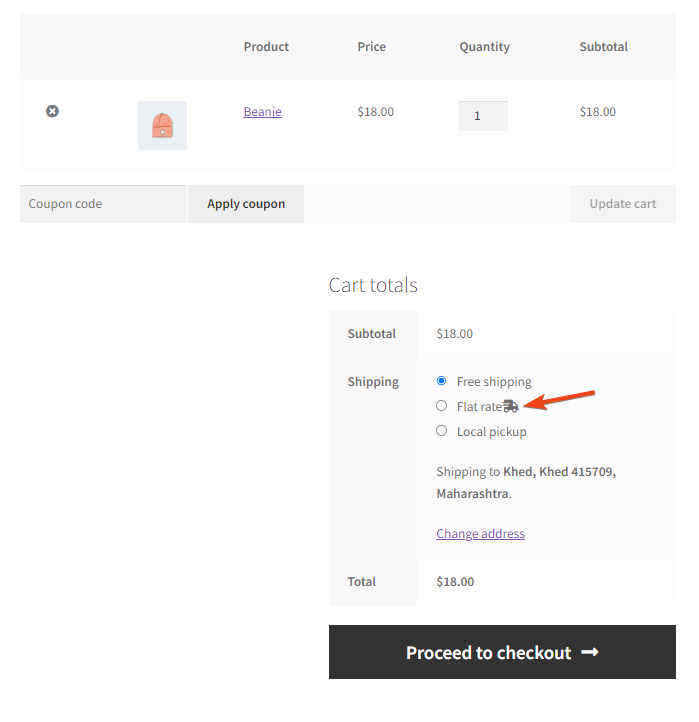
Make your shipping option stand out on the WooCommerce Cart page with a custom icon! This snippet easily lets you add a chosen icon next

