


How to Add a Shipping Time Countdown Timer to WooCommerce Product Pages?
It’s well known that a countdown is designed to capture user attention and prompt quicker decision-making regarding the purchase. A simple and easy way is


It’s well known that a countdown is designed to capture user attention and prompt quicker decision-making regarding the purchase. A simple and easy way is

If you want to customize the user interface for managing shipping classes in a WooCommerce setting within the WordPress admin area i.e. WooCommerce-> Settings->Shipping->Shipping classes,

Displaying custom messages for oversized products about specific conditions, additional charges or limitations associated with these items allows you to inform such important details directly

Some products may be larger than standard size and for such products, you can offer special shipping arrangements when they go beyond a particular size.

You can show custom shipping messages based on product types available in your store. Be it downloadable products or subscription services it is easy to

Online store owners use featured products to highlight specific items, giving them special attention and visibility. If you want to hide shipping only for featured

As an online store owner, you can efficiently display shipping options based on the availability of products in stock with these simple code snippets. This
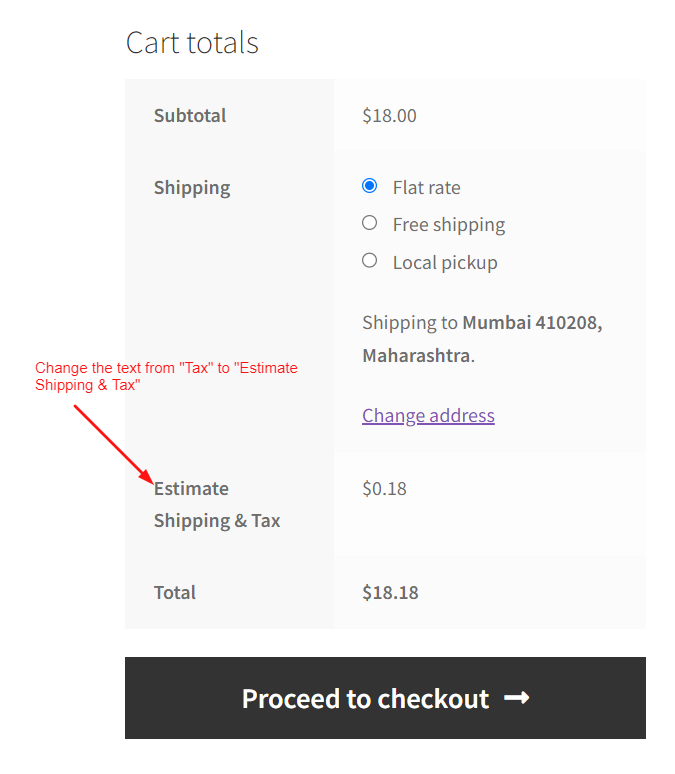
If you want to modify the text for “Tax” that appears in the cart totals section of the WooCommerce cart page, here is the solution

Improve your customer’s shopping experience and keep them informed about product availability with this handy snippet! It automatically alerts the customers when items in their
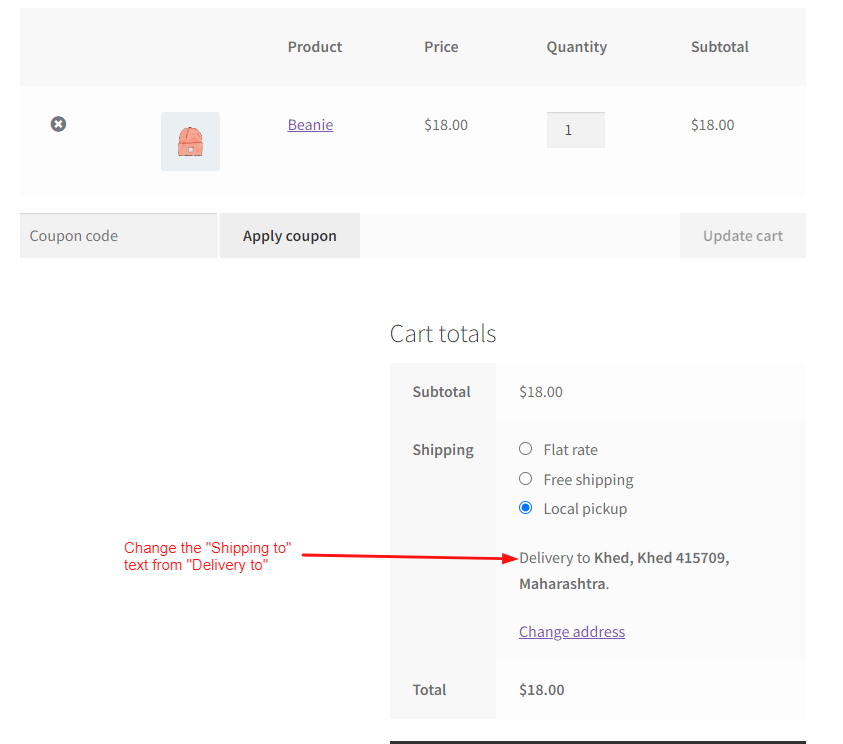
If you want to modify the text that appears as “Shipping to” on the cart totals section, there is a code snippet you can use.