Creating urgency is one of the most effective ways to boost conversions during promotions. With Flexi BOGO’s Countdown Timer for BOGO offers feature, you can now display a live countdown bar for your BOGO offers. The timer can be fixed (count down based on a fixed date/time) or dynamic (starts only when the shopper triggers an event).
In this guide, we’ll explain how to configure both Fixed and Dynamic timers, and how the timer behaves on the front end.
How Countdown Timers Work
Let’s start by creating a new rule or editing an existing one. In your WordPress dashboard, go to WooCommerce > Flexi BOGO > Discount Rules. Here, you can either click Add New Rule or edit an existing rule to enable the Countdown Timer. Scroll down past the rule details and you’ll see a section labelled Countdown Timer. This is where you can turn on and configure the countdown bar for your offer.
- Enable Countdown Timer: This toggle turns the countdown bar on or off. Switch it on to display a live timer on your store’s front end.
- Timer Mode: choose whether you want a fixed timer or a Dynamic timer.
Below, we’ll look at both timer types in detail so you can decide which one fits your offer best.
Fixed Timer
A Fixed Timer counts down to a specific start and end date/time that you set in the rule section. All shoppers see the same countdown because it’s tied to your campaign start and end dates.
Steps to Configure:
-
- Enable the Countdown Timer in your BOGO rule.
- Select Timer Mode → Fixed Timer.
- Set your start and end date/time from the rule’s section “Valid From” and “Valid To” fields.
The countdown timer automatically uses the “Valid From” and “Valid To” values you entered earlier in the Rule Limit settings section. The countdown automatically uses the start and end dates you’ve configured in the rule settings. - Decide if you want to show the Countdown Before the Offer Starts. This displays an “Upcoming” message before the timer begins.
- Choose where the timer appears (product page, cart, checkout, storewide).
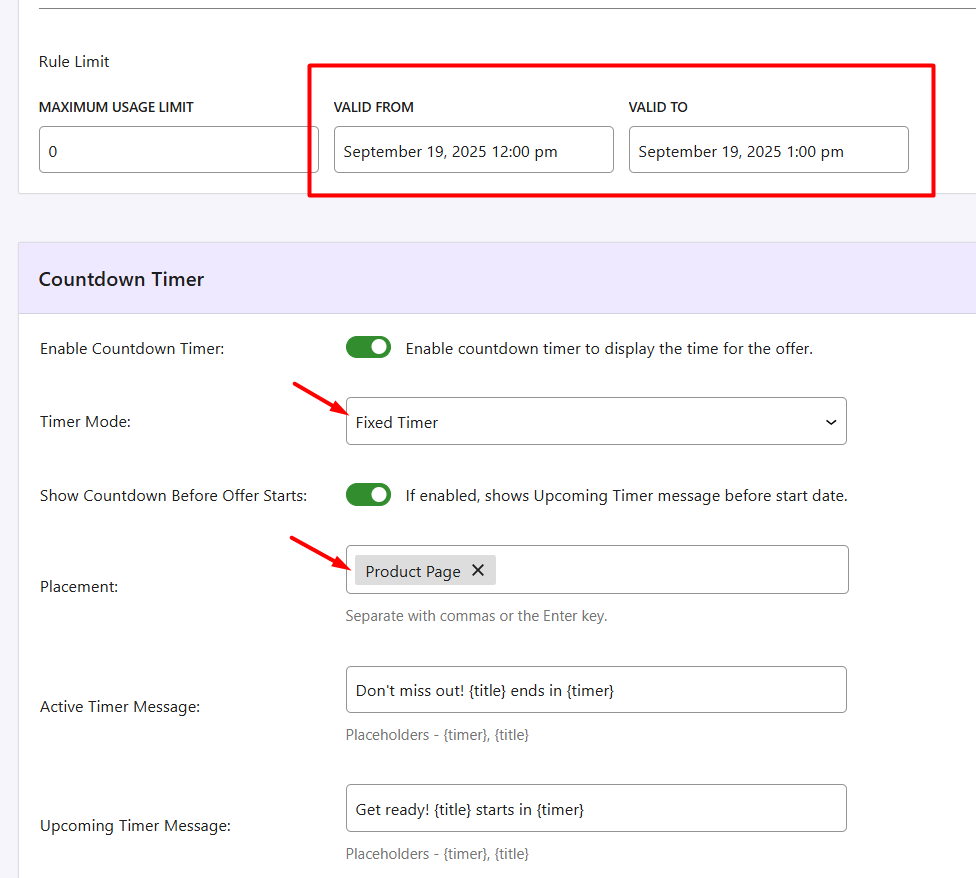
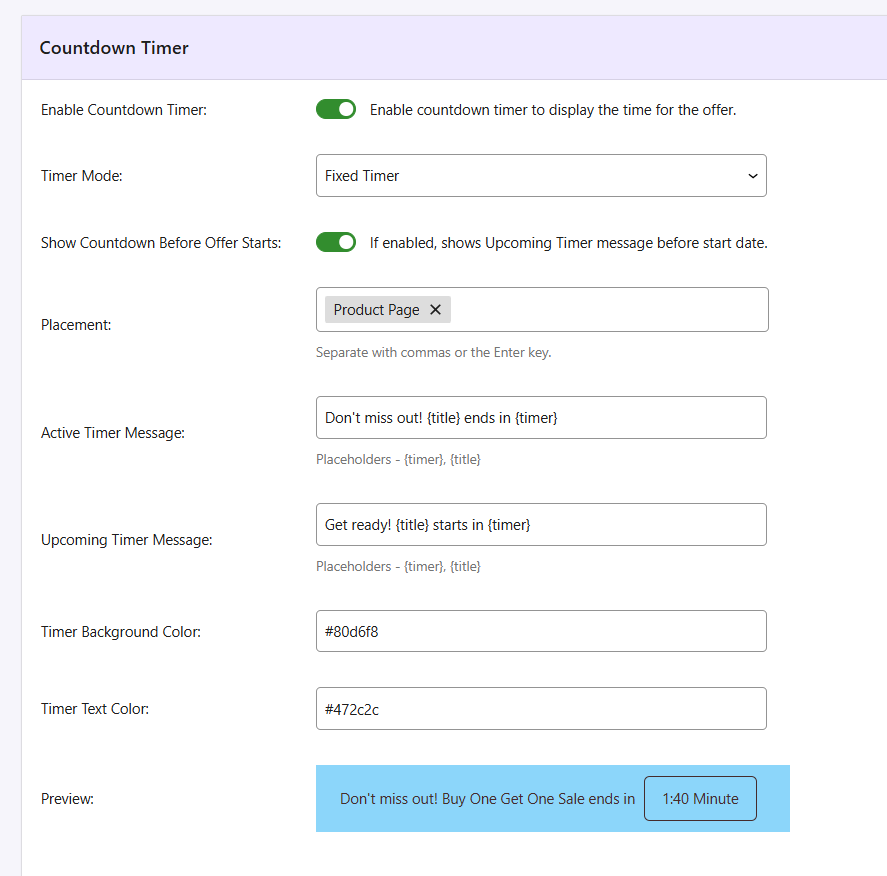
- Customize messages: Enter the text you’d like customers to see about the active offer. The {title} placeholder is automatically replaced with your rule title (“Buy One Get One Sale”), and the {timer} placeholder shows the live countdown time.
– Active Timer Message: Text while the offer is running, e.g., “Don’t miss out! {title} ends in {timer}.”
– Upcoming Timer Message: Text before the offer starts.
7.Set colors for the timer bar and text to match your store theme.
8.Use Preview to see how it looks before saving.
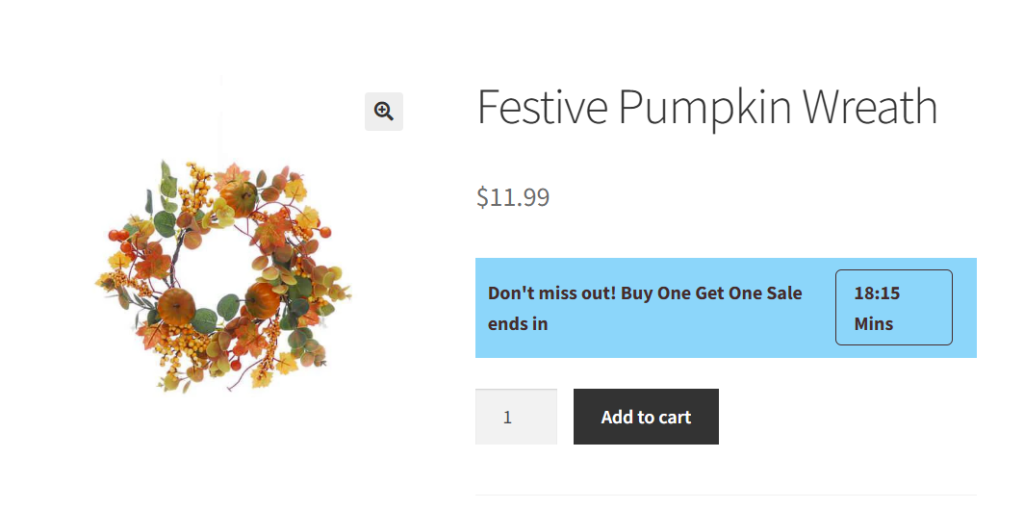
What customers will see:
In the above settings, we’ve created a Buy One Get One Sale for the product Festive Pumpkin Wreath. On the product page, shoppers see a blue bar with your message: Don’t miss out! Buy One Get One Sale ends in 18:15 mins.
As time runs out, the counter updates in real time until it reaches zero, after which the offer expires and the free product or discount no longer applies.
Dynamic Timer
A Dynamic Timer provides a personal countdown for each shopper, starting from a trigger event such as visiting a product page, adding a product to the cart, or starting checkout.
Steps to Configure:
- Enable the countdown timer in your BOGO rule.
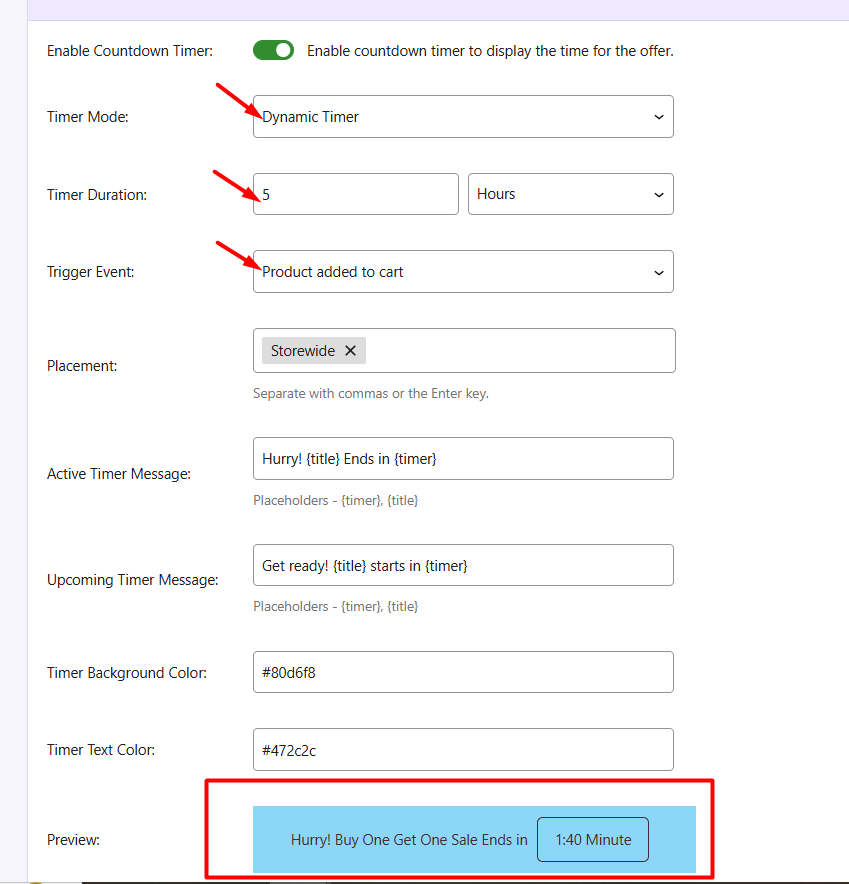
- Select Timer Mode → Dynamic Timer.
- Set Timer Duration (e.g., 5 hours).
- Choose the Trigger Event:
- Product added to cart-Timer Triggered When Product is Added to Cart
- Product page first viewed-Timer Triggered When Product Page is First Viewed
- Checkout starts-Timer Triggered When Checkout Starts
5. Select the timer placement (product page, cart, checkout, storewide). 6. Customize active/upcoming messages and colors. 7. Use Preview to check the timer.
What customers will see:
In a “BOGO Halloween Sale” targeting Halloween-category products, you can set a Dynamic Timer for 5 hours. If you choose the trigger “Product Added to Cart,” the countdown starts as soon as the customer adds the qualifying product to their cart.
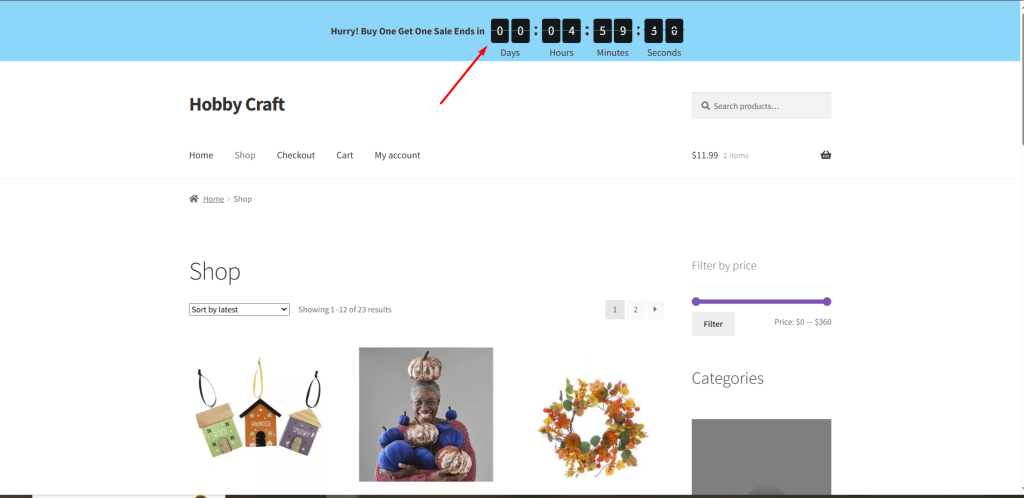
Flexi BOGO’s Countdown Timer feature allows you to create urgency for your promotions in a flexible way. Using this feature with seasonal campaigns, such as BOGO offers, ensures your promotions are clear, compelling, and effective.