


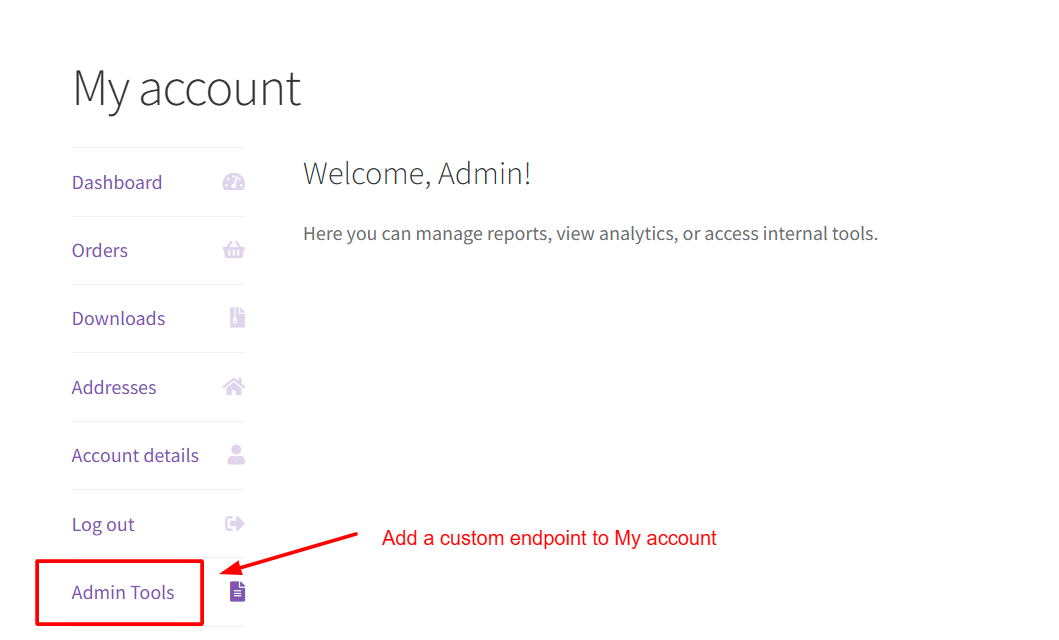
By default, WooCommerce’s My Account page shows tabs like Dashboard, Orders, and Account Details. But sometimes, store owners especially administrators, might want to add a custom tab for specific purposes — like they need quick access to admin tools or customer-specific features. That’s where custom endpoints come in.
In this guide, you’ll learn how to create a custom My Account endpoint in WooCommerce that appears only for administrators and loads correctly
Solution: Create a Custom My Account Endpoint in WooCommerce
This snippet adds a custom “Admin Tools” tab to WooCommerce My Account, visible only to administrators, and displays the custom content.
Note: For this custom endpoint to work correctly, make sure you save your permalink settings after adding the code.
/**
 * 1. Register the custom endpoint
 */
function ts_register_admin_tools_endpoint() {
    add_rewrite_endpoint( 'admin-tools', EP_ROOT | EP_PAGES );
}
add_action( 'init', 'ts_register_admin_tools_endpoint' );

/**
 * 2. Add the Admin Tools menu item to My Account
 */
function ts_add_admin_tools_menu_item( $items ) {
    if ( current_user_can( 'administrator' ) ) {
        $items['admin-tools'] = __( 'Admin Tools', 'text-domain' );
    }
    return $items;
}
add_filter( 'woocommerce_account_menu_items', 'ts_add_admin_tools_menu_item' );

/**
 * 3. Output content for the Admin Tools endpoint
 */
function ts_admin_tools_endpoint_content() {

    if ( ! current_user_can( 'administrator' ) ) {
        wp_safe_redirect( home_url( '/404/' ) );
        exit;
    }

    echo '<h3>Welcome, Admin!</h3>';
    echo '<p>Here you can manage reports, view analytics, or access internal tools.</p>';
}
add_action( 'woocommerce_account_admin-tools_endpoint', 'ts_admin_tools_endpoint_content' );
Output
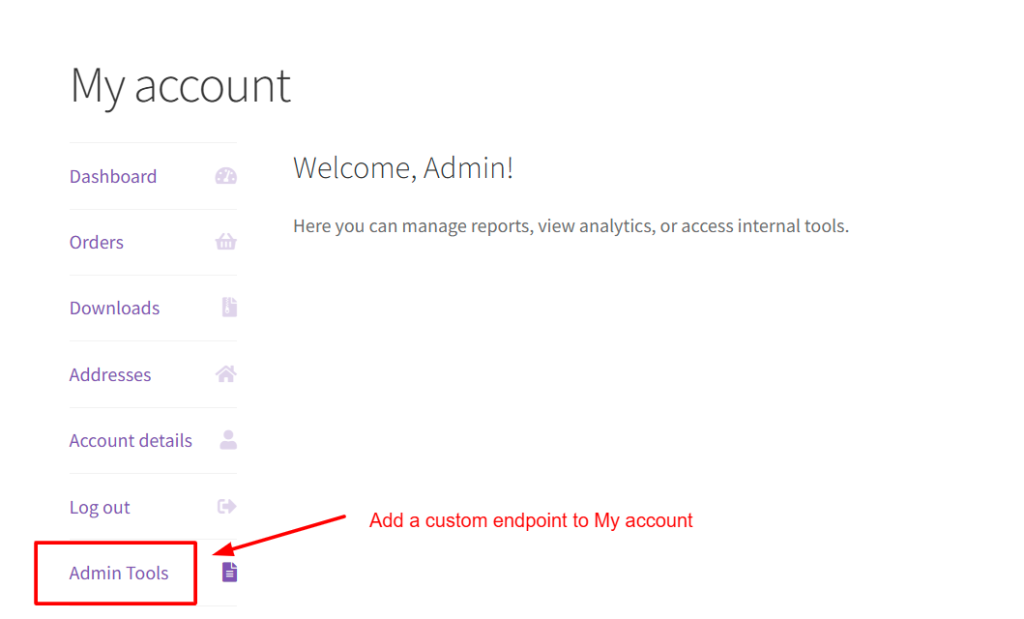
Once you add this code and save permalinks, your My Account page will show a new tab named Admin Tools but only when an administrator is logged in. Even though the current endpoint shows a static message, you can use it for showing any dynamic, role-specific feature — admin reports, customer dashboards, internal tools, or integrations.
Setting up a custom My Account endpoint for specific user roles makes it easier to manage role-specific workflows and control what each user can access. There are also other ways to enhance the account area, like allowing customers to edit order details directly on the My Account page, something we’ve explored in another guide. Small improvements like these can make the My Account experience more practical and efficient for both store admins and customers.
